Website speed is one of the most important technical factors for a modern Shopify store. Customers expect an online store to load quickly, respond immediately to interactions, and provide a smooth shopping experience across desktop and mobile devices. When a storefront feels slow, customers may leave before viewing a product, abandon their cart, or choose another store.
For Shopify merchants, performance is not only a technical concern. It is closely connected to conversion rate, customer experience, SEO, revenue, and long-term store growth.
A beautiful Shopify store with high-quality products can still struggle if its homepage takes too long to become usable, product images are unnecessarily large, the cart responds slowly, or third-party apps load excessive JavaScript.
In this guide, we will explore practical ways to speed up a Shopify store, improve storefront performance, reduce unnecessary code, optimize images, manage Shopify apps, improve Core Web Vitals, optimize Liquid themes, and create a faster shopping experience that can support higher conversions.
Why Shopify Store Speed Matters
Website performance influences how customers perceive a store. A fast storefront feels responsive and trustworthy, while a slow storefront can create friction throughout the shopping journey.
Consider a typical e-commerce journey:
- A visitor lands on the homepage.
- They browse a collection.
- They open a product page.
- They select a variant.
- They add the product to the cart.
- They review their cart.
- They proceed toward checkout.
Every one of these interactions is an opportunity for performance problems to affect the customer.
If the homepage is slow, the customer may never reach the collection page. If product images load slowly, the customer may not understand what they are buying. If variant selection is delayed, the customer may become frustrated. If the cart drawer takes several seconds to update, the shopping experience feels unreliable.
That is why Shopify speed optimization should focus on the entire customer journey, not just the homepage.
Does Shopify Store Speed Affect SEO?
Performance is one part of Google's broader page experience signals. Google evaluates several technical and content-related factors when determining search visibility, and Core Web Vitals are used to measure important aspects of real-world user experience.
The current Core Web Vitals are:
- LCP (Largest Contentful Paint): Measures loading performance.
- INP (Interaction to Next Paint): Measures responsiveness.
- CLS (Cumulative Layout Shift): Measures visual stability.
For recommended thresholds, a good result generally means an LCP of 2.5 seconds or less, an INP of 200 milliseconds or less, and a CLS of 0.1 or less.
However, improving Core Web Vitals does not guarantee a first-place Google ranking. Search rankings also depend on content relevance, search intent, technical SEO, website authority, links, structured data, and many other signals.
Performance should therefore be treated as one part of a broader SEO and conversion optimization strategy.
For a deeper explanation of LCP, INP, CLS, and performance testing, read How to Optimize Core Web Vitals for Better SEO Rankings.
How Fast Should a Shopify Store Be?
There is no single loading time that guarantees a successful Shopify store. Performance depends on the page, device, network, content, functionality, and user behavior.
Instead of focusing on one arbitrary page-load number, monitor user-focused metrics and understand where customers experience delays.
For example, an e-commerce website should pay attention to:
- How quickly the main content becomes visible.
- How quickly navigation responds.
- How quickly product interactions work.
- How quickly the cart updates.
- Whether content unexpectedly moves.
- How quickly product images become usable.
- How the store performs on mobile devices.
A store that feels fast to real customers is more valuable than a store optimized only to achieve a perfect synthetic performance score.
First Step: Measure Your Shopify Store Performance
Before changing your Shopify theme, measure the current performance of important pages.
Useful pages to test include:
- Homepage.
- Collection pages.
- Product pages.
- Search results.
- Cart page.
- Landing pages.
- Blog articles.
Testing only the homepage can hide problems that exist on product or collection pages.
Google PageSpeed Insights can provide useful performance diagnostics and, when available, real-user Chrome User Experience Report data. Chrome DevTools can provide more detailed information about network requests, JavaScript execution, rendering, and layout behavior.
Google Search Console can also provide Core Web Vitals information for eligible URLs based on available field data.
Do Not Chase a Perfect PageSpeed Score
One of the most common Shopify performance mistakes is treating a Lighthouse or PageSpeed score as the only goal.
A high score can be useful, but a score itself is not a business metric.
For example, removing a valuable analytics system only to increase a synthetic score may not be the correct decision. Similarly, aggressively reducing image quality may improve performance while making products look worse.
The real goal is to find a balance between:
- Speed.
- Visual quality.
- Functionality.
- Accessibility.
- SEO.
- Analytics.
- Conversion rate.
- Customer experience.
The Biggest Shopify Performance Problem: Images
Images are often among the largest resources on e-commerce websites.
Shopify stores commonly use large product photographs, lifestyle images, banners, collection graphics, promotional sections, and videos. If these assets are not delivered appropriately, they can significantly increase the amount of data that customers need to download.
Image optimization should therefore be one of the first areas to investigate when improving Shopify store speed.
Use Appropriately Sized Images
Uploading a very large image does not automatically provide a better customer experience.
If an image is displayed at approximately 800 pixels wide, there is usually no reason to force every mobile visitor to download a huge original image that is several thousand pixels wide.
Use responsive image delivery so the browser can receive an appropriately sized resource for the device and display area.
This is especially important for:
- Hero banners.
- Product images.
- Collection images.
- Editorial images.
- Blog images.
Use Modern Image Formats
Modern image formats such as WebP and AVIF can often provide better compression than older image formats while maintaining useful visual quality.
The exact benefit depends on the image and delivery pipeline, so images should be tested rather than converted blindly.
Shopify's image delivery infrastructure can also transform and serve images according to requested dimensions and supported formats.
Do Not Lazy-Load the Main Hero Image
Lazy loading is useful for content that appears below the initial viewport, but it should not be blindly applied to every image.
If the primary hero image is the largest content element contributing to LCP, unnecessarily lazy-loading it can delay its discovery and increase the time required for the main content to appear.
Above-the-fold content should be prioritized based on how the page actually renders.
Lazy-Load Below-the-Fold Images
Images that are far below the initial viewport can often be deferred until the customer approaches them.
This prevents every image on a long homepage or collection page from competing for network resources during the initial page load.
For an e-commerce homepage containing multiple sections, this can make a meaningful difference because customers may initially see only the hero, navigation, and first few content blocks.
Optimize Shopify Product Images
Product images deserve special attention because customers need enough visual information to make a purchasing decision.
Do not optimize product images by simply making them extremely low quality.
Instead, focus on:
- Appropriate dimensions.
- Efficient compression.
- Modern image formats.
- Responsive delivery.
- Correct loading priority.
- Lazy loading for images outside the initial viewport.
If you are creating product photography for your Shopify store, our guide on Photography Tips for E-Commerce Product Listings covers ways to create stronger product visuals while considering the customer experience.
Audit Your Shopify Apps
Shopify's app ecosystem is one of its biggest advantages. Apps can add reviews, subscriptions, search, filters, loyalty programs, analytics, chat, recommendations, popups, personalization, and many other features.
However, each application may introduce additional code or network requests.
Some apps may add:
- JavaScript files.
- CSS files.
- Tracking scripts.
- External requests.
- Widgets.
- DOM elements.
- Fonts.
- Images.
Over time, a store can accumulate many scripts that are no longer necessary.
Remove Shopify Apps You No Longer Need
Start your app audit by reviewing every installed application.
Ask:
- Is this app still being used?
- Does the store still need its functionality?
- Is another app already providing the same functionality?
- Can the functionality be implemented natively?
- Does the app load resources on every page?
Removing an unnecessary app can be more valuable than making dozens of small CSS changes.
However, uninstalling an app does not always guarantee that every piece of code previously injected by the app has disappeared. After removing an app, inspect the theme and storefront carefully and clean up any leftover integration code when appropriate.
Do Not Install an Optimization App for Every Problem
It can be tempting to install another Shopify optimization app whenever a performance issue appears.
But adding another application can sometimes introduce more JavaScript, CSS, or network requests.
Before installing an optimization tool, understand the underlying problem first.
If a theme contains unnecessary JavaScript, fixing the theme may be more effective than adding another layer on top of it.
Optimize Shopify Theme Code
Your Shopify theme is responsible for much of the storefront experience.
A poorly structured theme can contain duplicated markup, unnecessary JavaScript, unused CSS, excessive DOM elements, and complicated Liquid logic.
A well-structured theme should be built around reusable components and should load only the functionality required by the page.
If your existing Shopify theme needs professional customization or performance improvements, explore the Shopify Development service by Built by Saurav.
Reduce Unnecessary JavaScript
JavaScript can be expensive because the browser must download, parse, compile, and execute it.
A page with several large JavaScript libraries may appear visually simple while still requiring significant browser processing.
Review your JavaScript and identify:
- Unused libraries.
- Duplicate functionality.
- Large dependencies.
- Scripts loaded on every page.
- Scripts that are only required after interaction.
- Scripts that can be replaced with native browser functionality.
Reducing unnecessary JavaScript can improve responsiveness and help reduce the work performed on the browser's main thread.
Be Careful With Sliders and Carousels
Sliders are common in Shopify stores, especially on homepages and product pages.
However, adding a large slider library for a simple carousel can introduce unnecessary JavaScript and additional assets.
If a carousel is necessary, use a lightweight implementation and ensure that images outside the initial viewport are not unnecessarily loaded at full priority.
Also consider whether the carousel actually improves conversions. Sometimes a simple static hero with a strong message and clear call-to-action performs better than a complex rotating banner.
Optimize Your Shopify CSS
CSS can also contribute to page weight and rendering work.
Review your theme for:
- Unused styles.
- Duplicate rules.
- Large third-party stylesheets.
- Unnecessary framework dependencies.
- Excessive specificity.
Keep styles organized and avoid loading an entire CSS framework when only a small portion of its functionality is actually required.
Reduce Render-Blocking Resources
The browser needs to process certain resources before it can render parts of the page.
Large stylesheets, blocking JavaScript, fonts, and other resources can delay the initial rendering process.
Identify the resources required for the initial viewport and avoid forcing non-critical functionality to load before the user needs it.
Improve Shopify Store LCP
Largest Contentful Paint measures how quickly the largest visible content element becomes rendered.
On Shopify stores, the LCP element may be:
- A hero image.
- A large product image.
- A collection banner.
- A large heading.
- A promotional image.
Common reasons for poor Shopify LCP include:
- Large hero images.
- Slow resource discovery.
- Excessive JavaScript.
- Render-blocking CSS.
- Third-party scripts.
- Slow server response.
- Incorrect image loading priority.
Start by identifying the actual LCP element rather than applying generic optimizations.
Improve Shopify Store INP
Interaction to Next Paint measures how quickly a page responds to user interactions.
This is particularly relevant for Shopify stores because modern e-commerce interfaces often contain many interactive elements.
Examples include:
- Add-to-cart buttons.
- Variant selectors.
- Product filters.
- Navigation menus.
- Cart drawers.
- Search interfaces.
- Quick-add buttons.
- Product galleries.
Large JavaScript tasks can delay these interactions.
To improve INP, reduce unnecessary JavaScript and avoid expensive synchronous work inside event handlers.
Improve Shopify Store CLS
Cumulative Layout Shift measures unexpected movement of content.
Imagine a customer attempting to click an "Add to Cart" button when a late-loading image suddenly pushes the button downward. The customer may click something else by mistake.
This is not only frustrating but can also create a poor user experience.
Common Shopify CLS causes include:
- Images without predictable dimensions.
- Late-loading promotional banners.
- Dynamic app widgets.
- Cookie banners.
- Web fonts.
- Product recommendation widgets.
Reserve space for dynamic content wherever possible.
Optimize Shopify Fonts
Fonts can affect both loading performance and visual stability.
Using multiple font families and many font weights can increase the number of resources that need to be downloaded.
Review whether every font weight is necessary.
If your brand requires a custom font, ensure that it is delivered efficiently and that the fallback behavior does not create significant layout movement.
Also avoid loading several font families simply because they look interesting. A small, consistent typography system is usually easier to maintain and can reduce unnecessary resources.
Reduce Third-Party Scripts
Third-party scripts deserve special attention because they are often outside the core theme code.
Examples include:
- Google Analytics.
- Google Tag Manager.
- Chat widgets.
- Review systems.
- Heatmaps.
- Advertising platforms.
- Social media embeds.
- Email marketing tools.
- Affiliate tracking systems.
This does not mean that every third-party script should be removed. Analytics and marketing systems can be valuable business tools.
The goal is to understand which scripts are essential, when they need to load, and how much work they add to the storefront.
Optimize Your Shopify Header
The header is often one of the most important elements on an e-commerce website because it contains navigation, search, account functionality, cart access, and sometimes promotional content.
A complicated header can contain a surprising amount of JavaScript.
Keep the header architecture lightweight and prioritize functionality that customers actually use.
For mobile devices, ensure that navigation menus do not require unnecessarily large scripts or heavy animations.
Optimize the Shopify Cart Experience
The cart is one of the most important conversion-related parts of an e-commerce store.
A customer who has already added a product to their cart has demonstrated stronger purchase intent than someone simply browsing.
Cart interactions should therefore be fast and reliable.
Review:
- Add-to-cart response time.
- Cart drawer performance.
- Quantity updates.
- Remove-item functionality.
- Discount interactions.
- Free gift logic.
- Shipping estimates.
- Loading states.
- Error handling.
If customers click "Add to Cart" and nothing appears to happen, they may click repeatedly or leave the page.
Optimize Product Variant Selection
Variant selection should be immediate and understandable.
When a customer changes a size or color, the interface may need to update:
- Price.
- Availability.
- Product image.
- Variant ID.
- Compare-at price.
- SKU.
- URL.
This functionality should be implemented efficiently so that customers do not experience unnecessary delays.
Optimize Shopify Search
Search can be particularly important for stores with large product catalogs.
A search interface should respond quickly while providing useful results.
Predictive search can improve product discovery, but it should be implemented carefully so that every keystroke does not trigger excessive requests or expensive processing.
Use appropriate debouncing and avoid rendering unnecessarily large result sets.
Optimize Shopify Collection Pages
Collection pages can contain dozens or hundreds of products, which creates performance challenges.
Optimize:
- Product images.
- Product card markup.
- Filtering.
- Sorting.
- Pagination.
- JavaScript.
- Promotional content.
Do not load unnecessarily large product images for products that are far below the initial viewport.
Avoid Excessive DOM Elements
The Document Object Model represents the structure of your webpage.
A page containing unnecessarily deep or excessively large HTML structures can increase browser work.
This does not mean that every extra div is automatically a performance problem. Instead, look for unnecessary duplication and overly complicated component structures.
Clean markup generally provides benefits for maintainability, accessibility, and performance.
Use CSS Instead of JavaScript When Appropriate
Modern CSS can handle many interactions that historically required JavaScript.
Simple transitions, hover effects, responsive layouts, and some visual states can often be implemented entirely with CSS.
Reducing JavaScript can improve both initial loading and browser responsiveness.
Optimize Shopify Theme Liquid
Liquid is responsible for generating much of the storefront HTML.
Keep Liquid templates organized and avoid unnecessarily complicated nested logic.
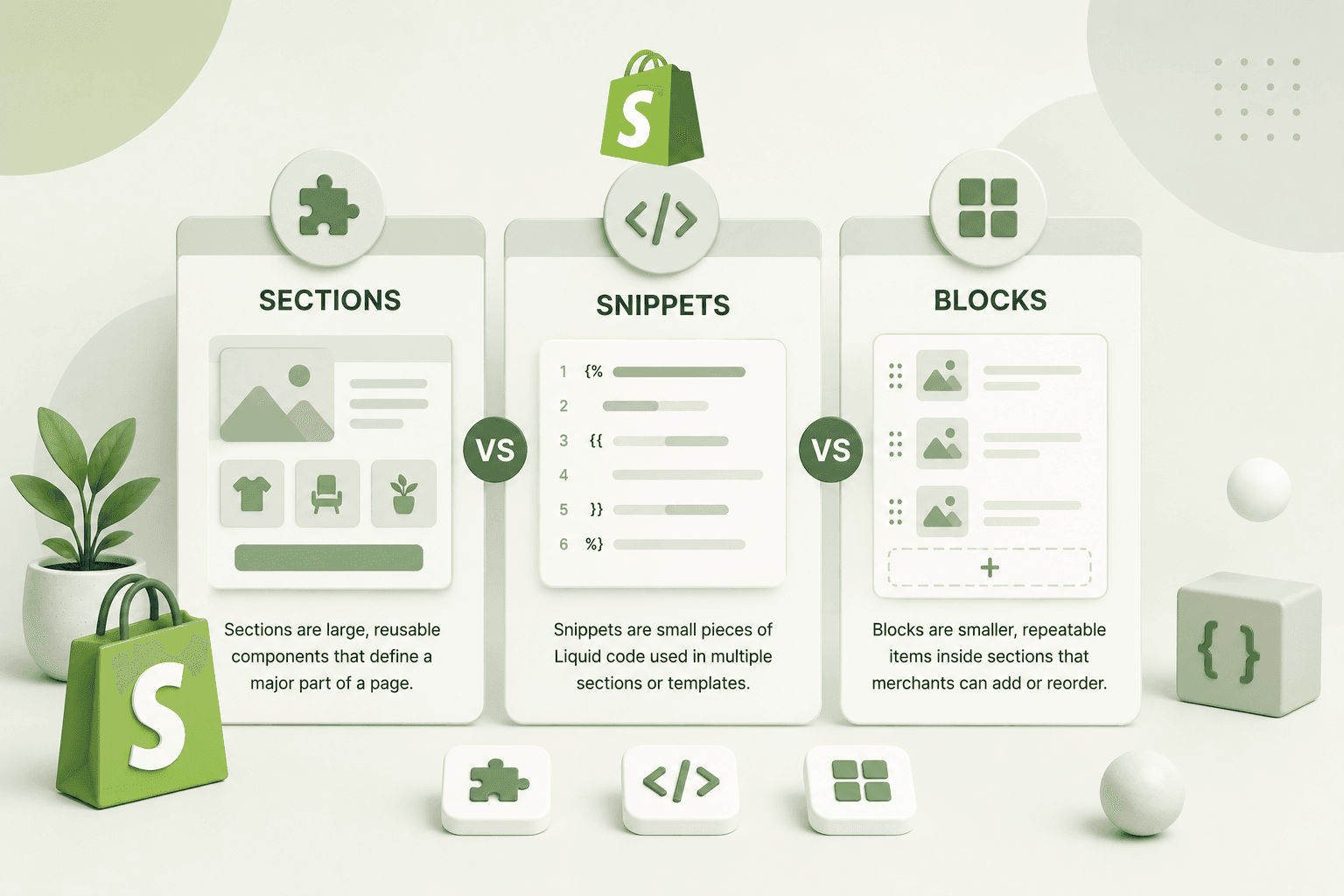
Use reusable snippets for repeated components and avoid duplicating large blocks of markup across multiple templates.
However, remember that Liquid optimization is only one part of performance work. Images, JavaScript, CSS, third-party apps, and network requests can often have a much larger impact on the customer's experience.
Use Shopify's Native Features Where Possible
Before installing another application or building a complex external integration, check whether Shopify already provides the functionality you need.
Using native platform capabilities where appropriate can reduce dependencies and simplify the storefront.
This does not mean every custom feature should be avoided. Custom development is often the right solution when native functionality does not satisfy the business requirements.
Avoid Loading Everything on Every Page
One common theme architecture mistake is loading every script, stylesheet, widget, and component globally.
For example, a product review system may only be needed on product pages, while a specialized promotional component may only be used on the homepage.
If a resource is not required on a particular page, investigate whether it can be limited to the pages where it is actually used.
Optimize Mobile Shopify Performance
Mobile optimization is especially important for e-commerce because mobile shoppers may use less powerful hardware and less reliable network connections than desktop users.
Test your store on realistic mobile conditions rather than relying only on a powerful development computer.
Pay attention to:
- Image sizes.
- JavaScript execution.
- Menu interactions.
- Product galleries.
- Sticky elements.
- Cart drawers.
- Input fields.
- Font loading.
Optimize Shopify Product Page UX
The product page is often one of the most important pages in the conversion funnel.
Performance should therefore be balanced with the amount of information customers need to make a purchase decision.
A good product page should make it easy to understand:
- What the product is.
- How much it costs.
- Which variants are available.
- What the product looks like.
- What benefits it provides.
- When it can be delivered.
- What other customers think.
- How to purchase it.
Removing useful content simply to make a page smaller is not always a good optimization strategy.
Use Progressive Loading
Not everything needs to become available at exactly the same moment.
Critical content should be prioritized, while secondary functionality can become available later.
For example, a homepage can prioritize the main heading, hero image, navigation, and primary call-to-action while delaying less important content below the fold.
Optimize Video on Shopify
Video can create a strong visual experience, but it can also be expensive to load.
A large autoplay video in the initial viewport can consume significant network and CPU resources.
If video is important to the design, consider:
- Using an optimized poster image.
- Serving appropriate video dimensions.
- Delaying non-critical video loading.
- Providing a mobile-friendly alternative.
- Avoiding unnecessary autoplay.
If your store uses video heavily for marketing, also consider whether the video improves the customer's understanding of the product enough to justify its performance cost.
Avoid Excessive Popups
Popups can be useful for email collection, promotions, and campaigns, but excessive popup systems can create both performance and user-experience problems.
Multiple popup apps may load independently and compete for resources.
Use one carefully configured system where possible and make sure the popup does not interfere with the customer's ability to browse or purchase.
Optimize Shopify Reviews
Reviews can increase trust and help customers make purchasing decisions, but review widgets can also introduce additional resources.
Review the implementation and make sure the review system does not load excessive JavaScript or large assets before the customer needs them.
Where possible, prioritize the product content required for the initial purchase decision before loading secondary review functionality.
Use a CDN Effectively
Content Delivery Networks help distribute static assets closer to users geographically.
Shopify already provides infrastructure for delivering storefront assets, so merchants should avoid assuming that adding another CDN automatically solves every performance issue.
The more important question is whether your resources are being requested efficiently and whether your theme and applications are creating unnecessary work.
Browser Caching and Shopify
Browser caching allows previously downloaded resources to be reused when customers return to a website.
Modern storefront infrastructure can cache many static resources, reducing the need to download them repeatedly.
However, caching cannot compensate for an unnecessarily large page or excessive third-party scripts. The first visit still needs to download and process the required resources.
Improve Server Response Time
Shopify manages much of the underlying hosting infrastructure, so merchants do not have the same level of server configuration control that they might have with a self-hosted application.
Nevertheless, storefront architecture can still influence how quickly content becomes available.
Keep theme logic efficient, avoid unnecessary redirects, minimize unnecessary external requests, and reduce dependencies that delay important content.
Shopify Performance and Conversion Rate
The relationship between performance and conversion is not simply "every 100 milliseconds equals a fixed percentage increase." Different stores, audiences, products, devices, and customer journeys behave differently.
Instead, think about performance as reducing friction.
A faster interface can make it easier for customers to:
- Browse products.
- Compare products.
- Use filters.
- Select variants.
- Add items to their cart.
- Review their cart.
- Proceed toward checkout.
Those improvements can contribute to a smoother shopping journey and potentially better business outcomes.
Measure Conversion Before and After Optimization
If you are making significant performance changes, do not measure only PageSpeed scores.
Track business metrics such as:
- Conversion rate.
- Add-to-cart rate.
- Checkout initiation.
- Cart abandonment.
- Revenue per visitor.
- Mobile conversion rate.
- Engagement.
Performance optimization should ultimately support the business rather than simply produce a better technical report.
Do Not Sacrifice Product Experience for Speed
E-commerce websites need high-quality visuals. Customers cannot physically touch or inspect an online product, so images, videos, specifications, reviews, and detailed descriptions can be important for purchasing decisions.
The solution is not to remove all visual content.
Instead, deliver important media efficiently and prioritize resources based on how and when customers use them.
A Practical Shopify Speed Optimization Process
A repeatable process is more effective than randomly changing code.
- Identify the most important Shopify pages.
- Measure current performance.
- Review Core Web Vitals.
- Identify the largest resources.
- Audit Shopify apps.
- Review theme JavaScript.
- Review CSS.
- Optimize images.
- Review fonts.
- Inspect third-party scripts.
- Improve layout stability.
- Optimize product and collection pages.
- Test mobile performance.
- Measure business metrics.
- Re-test after deployment.
This process helps prevent developers from making changes that look useful on paper but have little impact on the actual customer experience.
Shopify Speed Optimization Checklist
Use this checklist when auditing a Shopify store:
- Test the homepage.
- Test important collection pages.
- Test important product pages.
- Test the cart.
- Check LCP.
- Check INP.
- Check CLS.
- Optimize hero images.
- Optimize product images.
- Use appropriate image dimensions.
- Lazy-load below-the-fold images.
- Avoid unnecessarily lazy-loading the LCP image.
- Review installed Shopify apps.
- Remove unnecessary apps.
- Check for leftover app code.
- Reduce unnecessary JavaScript.
- Reduce unused CSS.
- Audit third-party scripts.
- Optimize fonts.
- Review sliders and animations.
- Optimize cart interactions.
- Optimize variant selection.
- Optimize search.
- Optimize collection pages.
- Test mobile devices.
- Test accessibility.
- Check SEO fundamentals.
- Measure conversion metrics.
- Monitor performance after deployment.
How Often Should You Audit Shopify Store Speed?
Performance should be monitored continuously rather than optimized once and forgotten.
Shopify stores change frequently. A merchant may install a new app, add a new tracking system, redesign the homepage, upload larger images, add a new promotional campaign, or introduce new JavaScript functionality.
Each change can affect performance.
A useful workflow is to perform a performance check after major theme changes, redesigns, app installations, and significant marketing integrations.
Why Professional Shopify Performance Optimization Matters
Performance optimization can become complicated when a store has custom theme code, multiple apps, custom cart functionality, product filters, third-party tracking, custom animations, and other integrations.
Changing one part of the theme can sometimes affect another part of the storefront.
A professional Shopify developer should therefore investigate the underlying architecture before making changes.
The goal is not simply to delete code. It is to determine which code is necessary, which code is inefficient, and which functionality can be implemented more effectively.
If your Shopify store needs custom theme development, performance optimization, Liquid improvements, custom sections, or storefront functionality, explore the Shopify Development service.
Final Thoughts
Speeding up a Shopify store is not about applying one magic optimization. It is a combination of image optimization, theme architecture, JavaScript reduction, app auditing, responsive development, third-party script management, Core Web Vitals optimization, and continuous performance monitoring.
Start by measuring your store before making changes. Identify the largest bottlenecks and fix the problems that have the greatest impact on real customers.
For many Shopify stores, the biggest opportunities are found in oversized images, unnecessary apps, third-party scripts, large JavaScript bundles, inefficient theme code, and poorly optimized interactive components.
Remember that a fast store should still be useful and attractive. Do not remove important product information or valuable functionality simply to improve a synthetic performance score.
The best Shopify storefront is one that combines fast performance, strong UX, high-quality product presentation, technical SEO, accessibility, and a frictionless path to purchase.
If you need help improving an existing Shopify store, building a custom theme, optimizing Liquid code, improving Core Web Vitals, or creating a conversion-focused storefront, explore the Shopify Development service by Built by Saurav.
You can also learn more about performance optimization through our guide on How to Optimize Core Web Vitals for Better SEO Rankings.
If you are planning a Shopify redesign, performance audit, or custom development project, contact Saurav and share your store requirements.
Frequently Asked Questions
How can I speed up my Shopify store?
Start by measuring important pages and identifying the biggest bottlenecks. Common improvements include optimizing images, removing unnecessary Shopify apps, reducing JavaScript, minimizing third-party scripts, improving theme code, optimizing fonts, and improving Core Web Vitals.
Do Shopify apps slow down a store?
They can. Shopify apps may add JavaScript, CSS, widgets, tracking resources, and external network requests. The impact depends on the specific application and how it is implemented. Regularly auditing installed apps can help prevent unnecessary storefront resources.
Does Shopify automatically optimize images?
Shopify provides image delivery and transformation capabilities, but merchants and theme developers still need to request and display images appropriately. Serving unnecessarily large images, loading too many images at once, or incorrectly prioritizing images can still create performance problems.
Should I lazy-load every Shopify image?
No. Images below the fold can often benefit from lazy loading, but the main image contributing to LCP should generally be discovered and loaded efficiently rather than being unnecessarily delayed.
What are the Shopify Core Web Vitals?
Shopify stores are evaluated using the same current Core Web Vitals as other websites: Largest Contentful Paint (LCP), Interaction to Next Paint (INP), and Cumulative Layout Shift (CLS).
What is a good LCP score?
A good LCP result is generally 2.5 seconds or less. A result above 2.5 seconds needs improvement, while a result above 4 seconds is considered poor.
What is a good INP score?
A good INP result is generally 200 milliseconds or less. Results above 200 milliseconds and up to 500 milliseconds need improvement, while results above 500 milliseconds are considered poor.
What is a good CLS score?
A good CLS result is generally 0.1 or less. Results above 0.1 and up to 0.25 need improvement, while results above 0.25 are considered poor.
Can Shopify speed optimization improve conversions?
Improving performance can reduce friction and create a smoother shopping experience, which can support better engagement and conversion outcomes. However, there is no universal conversion increase that can be guaranteed from a specific speed improvement. Conversion also depends on pricing, product quality, trust, UX, offers, traffic quality, and many other factors.
Does a higher PageSpeed score mean more Shopify sales?
Not necessarily. PageSpeed and Lighthouse scores are diagnostic tools rather than direct sales metrics. A successful Shopify store needs good performance along with strong products, content, pricing, UX, trust signals, marketing, and a clear customer journey.
How do I check my Shopify store speed?
You can use Google PageSpeed Insights, Chrome DevTools, and Google Search Console to investigate performance. Test multiple important pages and compare both mobile and desktop experiences rather than relying on a single homepage test.
Can a custom Shopify theme improve performance?
A well-built custom Shopify theme can provide a cleaner architecture and remove unnecessary code or dependencies. However, custom development does not automatically make a store faster. Images, apps, third-party scripts, content, and implementation quality still have a major impact.
Should I remove all third-party scripts?
No. Some third-party tools provide important business functionality such as analytics, customer support, advertising, reviews, or marketing automation. The goal is to understand their performance impact and load them efficiently rather than removing every external service.
How can a Shopify developer improve my store speed?
A Shopify developer can audit theme code, Liquid templates, JavaScript, CSS, images, app integrations, third-party scripts, cart functionality, product pages, and Core Web Vitals. The developer can then prioritize the changes that provide the greatest improvement without removing functionality that customers need.
Can you help optimize my Shopify store?
Yes. If you need Shopify theme optimization, custom Liquid development, performance improvements, Core Web Vitals optimization, custom sections, responsive storefront development, or other Shopify development work, you can explore the Shopify Development service or contact Saurav to discuss your project.