Choosing a Shopify theme looks simple when you're launching a new ecommerce store. You can purchase a premium Shopify theme, upload your products, customize the colors and typography, and start selling.
But the decision becomes much more important when your store starts scaling.
As a DTC brand grows, the storefront usually needs more than a good-looking homepage. You may need custom product experiences, better merchandising, advanced landing pages, faster mobile performance, custom sections, unique collection layouts, app integrations, conversion-focused components, and a design system that can evolve with the brand.
That's where the question becomes:
Should we customize a pre-made Shopify theme?
        OR
        Should we build a custom Shopify Liquid theme?
The answer is not simply "custom is better."
A well-built pre-made theme can be the right choice for an early-stage brand. At the same time, a custom Shopify theme can become a major competitive advantage for an established DTC business with complex merchandising and conversion requirements.
The real question is whether your current theme architecture can support the next stage of your business without creating unnecessary development, performance, and maintenance problems.
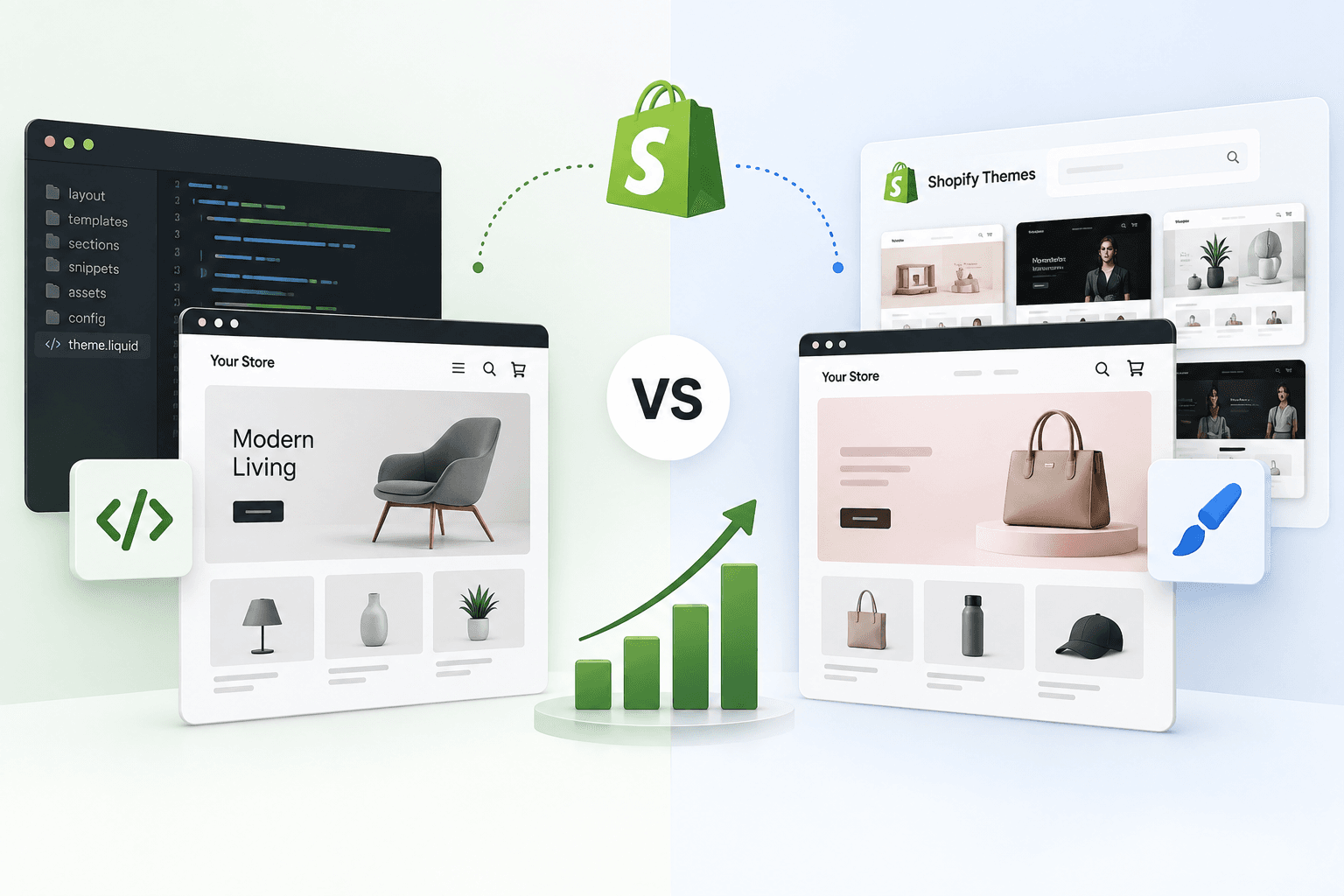
In this guide, we'll compare custom Shopify Liquid themes vs pre-made Shopify templates across performance, flexibility, SEO, conversion optimization, scalability, development cost, maintenance, integrations, and long-term business value.
By the end, you'll have a practical framework for deciding which Shopify theme approach makes sense for your DTC brand.
Quick Answer: Custom Shopify Theme vs Pre-Made Theme
If you need to launch quickly with a relatively standard ecommerce experience, a high-quality pre-made Shopify theme is usually the better starting point.
If your brand already has significant revenue, a differentiated customer journey, complex product merchandising, custom UX requirements, or performance problems that cannot be solved cleanly through theme customization, a custom Shopify Liquid theme can make more sense.
| Factor | Custom Shopify Theme | Pre-Made Shopify Theme |
|---|---|---|
| Initial cost | Higher | Lower |
| Launch speed | Slower | Faster |
| Design flexibility | Very high | Moderate to high |
| Custom functionality | Excellent | Limited by architecture |
| Performance control | Very high | Depends on theme |
| Maintenance | Requires technical ownership | Usually easier initially |
| Brand differentiation | Excellent | Moderate |
| Scalability | Excellent when architected correctly | Good until architecture becomes restrictive |
| Best for | Established and scaling DTC brands | Startups, new stores and standard ecommerce needs |
The important point is that custom does not automatically mean faster, and pre-made does not automatically mean slow. Theme architecture, Liquid implementation, JavaScript, CSS, images, third-party apps, tracking scripts, and the overall storefront implementation all affect performance.
What Is a Pre-Made Shopify Theme?
A pre-made Shopify theme is an existing storefront design and codebase created for a broad range of merchants.
Instead of building the theme architecture from the beginning, you start with an existing foundation and configure it through the Shopify theme editor.
Depending on the theme, you may be able to customize:
- Colors
- Typography
- Header and navigation
- Footer
- Homepage sections
- Product page sections
- Collection layouts
- Announcement bars
- Sliders and banners
- Product cards
- Cart components
- Featured collections
- Promotional sections
- Custom content blocks
Modern Shopify themes built around Online Store 2.0 can provide considerable flexibility through JSON templates, sections, blocks, dynamic sources and app blocks.
If you want to understand how these components work together, read our guide on Shopify Online Store 2.0.
What Is a Custom Shopify Liquid Theme?
A custom Shopify theme is a storefront developed specifically around the requirements of a particular brand instead of starting with a generic marketplace design.
Shopify themes use Liquid for storefront markup and logic, together with HTML, CSS, JavaScript, JSON configuration, sections, blocks, snippets, templates and theme settings.
This means a modern custom Shopify Liquid theme is not simply a collection of Liquid files.
Custom Shopify Theme

    ↓

Liquid
    +
    JSON Templates
    +
    Sections
    +
    Blocks
    +
    Snippets
    +
    CSS
    +
    JavaScript
    +
    Theme Settings
    +
    Metafields / Dynamic Sources
Shopify's current theme architecture separates layouts, templates, sections, blocks and snippets so developers can build reusable and customizable storefront components.
For a deeper technical explanation, see our article: Shopify Theme Architecture Explained.
Custom Shopify Theme vs Customized Shopify Theme
These two terms are often used interchangeably, but they are not the same thing.
Customized Theme
You start with an existing Shopify theme and modify it.
Existing Theme
  ↓

Brand Changes
↓
Custom Sections
↓
CSS Changes
↓
JavaScript Changes
↓
Customized Store
This approach can be highly effective when the existing architecture already supports most of your requirements.
Custom Theme
A custom theme starts with a deliberately planned architecture based on the brand's design system, content model, merchandising strategy, performance requirements and customer journey.
Brand Requirements
  ↓

UX Architecture
↓
Design System
↓
Theme Architecture
↓
Liquid + JSON + Sections
↓
Performance + SEO
↓
Custom Shopify Store
This distinction matters because adding more and more custom code to an existing theme does not automatically turn it into a well-designed custom theme.
How Shopify Theme Architecture Affects Scalability
A Shopify theme is more than visual styling. It is the foundation through which storefront templates, sections, blocks, snippets, assets and settings work together.
In Online Store 2.0, JSON templates can reference sections and allow merchants to add, remove and reorder content through the theme editor.
This modular architecture is particularly useful for DTC brands because marketing teams frequently need to create new landing pages and merchandising experiences without asking a developer to rebuild the entire page.
Shopify also supports reusable sections and blocks that can be configured through schemas and theme settings.
You can learn more about this architecture in: Shopify Sections vs Snippets vs Blocks.
1. Design Flexibility
One of the biggest differences between a custom Shopify theme and a pre-made template is how much control you have over the customer experience.
Pre-Made Theme
A premium theme may offer dozens of sections and settings, but those options were designed for a broad audience.
Your brand therefore has to work within the theme's architecture.
Your Design
  ↓

Existing Theme
↓
Available Settings
↓
Custom CSS / Code
↓
Final Storefront
This can work extremely well when your design requirements are close to the theme's intended structure.
Custom Theme
With a custom Shopify theme, the architecture can be designed around the brand first.
Your Brand
  ↓
Customer Journey
↓
UX Requirements
↓
Design System
↓
Custom Sections
↓
Custom Templates
↓
Shopify Theme
This becomes especially valuable for premium DTC brands where the shopping experience itself is part of the brand identity.
2. Shopify Theme Performance
Performance is one of the biggest reasons growing brands consider moving away from heavily customized themes.
But there is an important misconception: a custom theme is not automatically faster than a pre-made theme.
A poorly developed custom theme can be slower than a well-built premium theme.
Performance depends on factors such as:
- JavaScript execution
- CSS size
- Image dimensions and formats
- Third-party scripts
- Shopify apps
- Unused theme functionality
- Liquid rendering
- DOM complexity
- Fonts
- Animations
- Lazy loading strategy
- Tracking scripts
- Network requests
This is why theme performance should be treated as an engineering requirement rather than a visual feature.
If your current store is already struggling with speed, start with: How to Speed Up a Shopify Store.
Why Pre-Made Themes Can Become Slow After Heavy Customization
A pre-made theme may start with good performance characteristics. Problems often appear later when a store keeps adding custom features.
Pre-Made Theme
  ↓

Custom CSS
↓
Custom JavaScript
↓
Apps
↓
Tracking Scripts
↓
Popups
↓
Reviews
↓
Subscriptions
↓
Bundles
↓
More Apps
↓
More Code
↓
Performance Debt
The theme itself may not be the only reason for the slowdown. Third-party applications and scripts can also have a major impact on storefront performance.
That's why simply replacing a theme without auditing apps and scripts may not solve a store's performance problems.
For a deeper technical breakdown, see: Shopify Apps, Website Speed & Third-Party Performance.
3. Conversion Rate Optimization
For a DTC brand, the theme is not just a design layer. It influences how customers discover products, evaluate them, add them to cart, compare options and complete purchases.
A pre-made theme usually provides common ecommerce patterns such as:
- Product galleries
- Product descriptions
- Variant selectors
- Add-to-cart buttons
- Collection grids
- Search
- Cart drawer
- Featured products
- Product recommendations
These are useful because most stores need them.
But scaling DTC brands often need more specialized experiences.
For example:
- Custom product storytelling
- Shop-the-look experiences
- Bundle builders
- Ingredient or specification comparisons
- Interactive product selectors
- Subscription merchandising
- Custom cross-sell modules
- Personalized landing pages
- Editorial commerce layouts
- Advanced promotional components
A custom Shopify theme gives the development team more freedom to build these experiences into the storefront architecture rather than repeatedly forcing them into generic sections.
4. SEO: Custom Theme vs Pre-Made Theme
Another common misconception is that a custom Shopify theme automatically ranks better in Google.
It does not.
Search performance depends on the complete technical and content implementation of the store.
A Shopify theme can support strong SEO when it provides:
- Clean HTML structure
- Correct heading hierarchy
- Fast page rendering
- Mobile-friendly layouts
- Proper internal linking
- Optimized images
- Canonical URLs
- Structured data where appropriate
- Indexable content
- Logical templates
You can use our Shopify SEO Checklist to review the broader SEO foundation of your store.
For product-specific optimization, see: How to Optimize Shopify Product Page SEO.
A custom theme can make technical SEO easier to control because developers have more direct control over templates, markup and reusable components.
However, a poorly coded custom theme can create exactly the opposite result.
5. Mobile Experience
Mobile shopping is particularly important for DTC ecommerce brands. Customers may discover products through Instagram, TikTok, Meta ads, Google search, influencer campaigns or email and land directly on a product page from a mobile device.
A generic theme may provide responsive layouts out of the box.
That's a major advantage during the early stages.
But a custom Shopify theme allows mobile UX to be designed intentionally around the customer's journey.
For example:
Mobile Product Page

Product Image
↓
Product Name
↓
Price
↓
Key Benefit
↓
Variant Selection
↓
Sticky Add to Cart
↓
Social Proof
↓
Product Details
↓
Reviews
↓
Cross - Sell
↓
FAQ
The exact structure should depend on the product, audience and conversion strategy rather than simply copying a desktop layout onto mobile.
6. Shopify Theme Customization Limits
A premium theme can be highly customizable, but every theme has an architectural boundary.
You may eventually encounter requirements such as:
- A product page layout that the theme doesn't support
- A custom collection experience
- Multiple product templates
- Complex merchandising logic
- Specialized promotional modules
- Custom navigation behavior
- Unique cart interactions
- Custom subscription presentation
- Advanced product personalization
- Custom landing-page architecture
At this stage, developers often start adding overrides, custom JavaScript and one-off CSS rules.
That can solve the immediate problem but increase technical debt.
If you're making significant changes to an existing Shopify theme, read: How to Customize a Shopify Theme Safely.
7. Maintainability
A Shopify store is rarely finished after launch.
DTC brands continuously add:
- New products
- New collections
- Promotional campaigns
- Landing pages
- Seasonal merchandising
- New apps
- New markets
- New payment experiences
- New conversion experiments
The theme therefore needs to be maintainable.
A custom Shopify theme can be easier to maintain when it is built around reusable sections, blocks and snippets with clear naming conventions and a consistent architecture.
The opposite is also possible.
If the custom theme is built without architectural discipline, future developers may find it difficult to understand and modify.
This is why good Shopify development is not simply about writing Liquid code. It is about creating an architecture that another developer can understand months or years later.
8. Shopify Theme Editor Flexibility
One concern about custom Shopify themes is that merchants may become dependent on developers for every small content change.
A well-built Online Store 2.0 custom theme should avoid this problem.
Developers can create configurable sections with settings and blocks so marketing teams can control content from the Shopify theme editor.
Developer

↓
Builds Section
↓
Adds Schema
↓
Adds Settings
↓
Adds Blocks
↓
Merchant Uses Theme Editor
↓
Content Changes Without Code
This is one of the most important principles of scalable Shopify theme development: custom development should increase flexibility, not create unnecessary developer dependency.
If you want to understand how custom sections work, read: How to Create a Custom Shopify Section with Liquid Schema.
9. Product Page Flexibility
Product pages are often where scaling DTC brands start feeling the limitations of a generic theme.
Different products may require different storytelling.
For example, a fashion brand may need:
- Size guides
- Fit information
- Lookbook content
- Color swatches
- Product videos
- Outfit recommendations
A skincare brand may need:
- Ingredients
- Skin-type recommendations
- Routine builders
- Usage instructions
- Before-and-after content
- Subscription options
A furniture brand may need:
- Dimensions
- Materials
- Room visualization
- Shipping information
- Assembly instructions
- Product comparison
Custom Shopify themes make it easier to create reusable structures around these different product experiences.
Shopify metafields are particularly useful when product-specific information needs to be structured and displayed dynamically. Learn more in: Shopify Metafields Guide.
10. Collection Page Scalability
As a DTC catalog grows, collection pages become increasingly important.
A small store might have 20 products.
A growing brand may eventually have hundreds or thousands of products, multiple collections, seasonal categories and merchandising rules.
At that stage, collection page architecture needs to support:
- Filtering
- Sorting
- Product badges
- Promotional cards
- Category navigation
- Merchandising priorities
- Responsive product grids
- SEO-friendly content
Your collection pages also need to remain useful to search engines and customers.
Read our dedicated guide: Shopify Collection Page SEO.
11. App Integration
Apps are an important part of the Shopify ecosystem.
A DTC brand might use apps for:
- Reviews
- Subscriptions
- Search
- Wishlist
- Loyalty
- Bundles
- Product recommendations
- Analytics
- Email marketing
- Customer support
Modern Shopify theme architecture can support app blocks, allowing apps to integrate with sections without requiring developers to manually inject every piece of app code into the theme.
A custom theme can also be designed with known integrations in mind, creating dedicated locations and reusable components for those experiences.
The goal should not be to avoid apps completely.
The goal is to use the minimum necessary technology while keeping the storefront maintainable and performant.
12. Cost: Which Shopify Theme Is Cheaper?
A pre-made theme is usually cheaper at the beginning.
You purchase or install the theme and then configure it.
A custom Shopify theme requires more development time because the architecture, components and user experience need to be implemented specifically for the store.
| Cost Factor | Pre-Made Theme | Custom Theme |
|---|---|---|
| Theme purchase | Usually lower | Not required in the same way |
| Initial development | Lower | Higher |
| Custom functionality | May require additional development | Built into architecture |
| Future modifications | Can become expensive if architecture is restrictive | Usually easier when properly architected |
| Performance optimization | Depends on existing theme and customization | Can be designed into the build |
| Long-term technical debt | Can increase after heavy customization | Depends heavily on development quality |
The important metric is therefore not only the initial theme cost.
You should consider the total cost of ownership:
Theme Cost

    +
    Development
    +
    Apps
    +
    Customizations
    +
    Performance Work
        +
        Maintenance
        +
        Future Features
            +
            Technical Debt
==============

Total Cost of Ownership
13. Time to Market
This is where pre-made Shopify themes have a major advantage.
If your priority is to validate a product idea, launch quickly or start generating revenue, spending months building a custom storefront may not be the best decision.
A premium Shopify theme can give you a strong foundation quickly.
You can launch first and improve the storefront as your business generates more data.
Idea


↓
Theme
↓
Products
↓
Launch
↓
Customer Data
↓
Conversion Insights
↓
Theme Improvements
This is often a smarter approach for an early-stage DTC brand than investing heavily in custom development before product-market fit.
14. Brand Differentiation
Once a DTC brand has established product-market fit, differentiation becomes increasingly important.
Customers compare brands based on more than products and prices.
They also experience:
- Brand storytelling
- Visual identity
- Product discovery
- Navigation
- Product presentation
- Checkout experience
- Mobile UX
- Post-purchase experience
A pre-made theme can look professional, but other brands may be using the same foundation.
A custom theme gives a brand more control over the storefront's visual language and customer journey.
This is especially valuable for premium, luxury, fashion, beauty, wellness and lifestyle DTC brands where visual experience contributes significantly to perceived brand value.
15. Scaling Marketing Campaigns
Scaling DTC brands often run multiple campaigns simultaneously.
For example:
Meta Ads


↓
Product Landing Page

Google Ads
↓
Collection Page

Influencer Campaign
↓
Campaign Landing Page

Email Campaign
↓
Personalized Product Page

Seasonal Campaign
↓
Dedicated Landing Page
A scalable theme architecture should allow marketing teams to build these experiences without rebuilding the entire storefront every time.
Reusable sections and configurable blocks are particularly useful because the same components can be assembled differently for different campaigns.
16. Custom Shopify Theme and Content Management
A good custom Shopify theme should not make content management harder.
In fact, it should make the relationship between content and design clearer.
For example:
Product Data
↓


Metafields
↓
Liquid
↓
Reusable Section
↓
Product Template
↓
Customer
This approach allows structured product information to be reused across different parts of the storefront.
Instead of hardcoding content into individual templates, developers can build reusable components that consume Shopify's structured data.
17. Shopify Theme Updates and Version Control
Another important consideration is how your team manages future theme changes.
With a pre-made theme, theme updates may introduce new features, bug fixes or architecture changes. However, heavily customized themes can require careful testing before updates are applied.
A custom theme gives your team greater ownership over the codebase, but that also means your team becomes responsible for maintaining it.
This makes development practices important.
- Use version control
- Keep reusable components organized
- Document custom functionality
- Test before production deployment
- Maintain staging or development versions
- Review Shopify platform changes
- Monitor performance after releases
If you're working directly with Shopify theme code, our guide on Shopify Theme Editor vs Code Editor explains when each approach is useful.
18. Custom CSS and JavaScript
One of the biggest differences between a clean custom theme and a heavily modified pre-made theme can be the way CSS and JavaScript are organized.
A store may start with a simple requirement:
"Just change this button."Then the requirements grow:
Button Change
  ↓


Custom CSS
↓
Responsive Override
↓
JavaScript Interaction
↓
Another Theme Override
↓
Another Component
↓
Specificity Conflicts
↓
Technical Debt
This is one reason why theme customization should be approached systematically instead of adding random overrides whenever a new requirement appears.
For practical guidance, read: How to Add Custom CSS and JavaScript to a Shopify Theme Safely.
19. When a Pre-Made Shopify Theme Is the Better Choice
A pre-made theme can be the better choice if most of the following statements describe your business.
- You are launching a new store.
- Your product catalog is relatively simple.
- You need to launch quickly.
- Your budget is limited.
- Your customer journey is fairly standard.
- You don't need highly specialized product pages.
- Your existing theme already supports your required sections.
- You have not yet collected enough conversion data.
- You are still validating product-market fit.
- You want to minimize initial development costs.
In this situation, buying a strong theme and customizing it carefully can provide an excellent return on investment.
20. When You Should Consider a Custom Shopify Theme
A custom Shopify theme becomes more attractive when the limitations of your existing architecture start affecting business growth.
Consider a custom Shopify theme if:
- Your brand requires a highly unique storefront.
- Your existing theme requires too many workarounds.
- Your product pages need custom functionality.
- Your mobile UX requires a complete redesign.
- Your marketing team needs highly flexible landing pages.
- Your theme has accumulated significant technical debt.
- Your performance is being affected by unnecessary theme code.
- You have many custom sections and components.
- You need multiple specialized templates.
- Your merchandising strategy does not fit the existing theme.
- You are spending too much on workarounds and apps.
- Your storefront experience is strategically important to the brand.
21. Signs Your Shopify Theme Has Outgrown You
Here are some practical warning signs that your current theme may no longer be the right foundation.
Sign #1: Every New Feature Requires a Hack
If simple business requirements repeatedly require custom CSS, JavaScript overrides or template duplication, your theme architecture may be reaching its limits.
Sign #2: Developers Are Afraid to Touch Existing Code
If a small change can unexpectedly break multiple pages, the theme may have accumulated too much technical debt.
Sign #3: Your Product Page Looks Like Every Other Store
If your brand depends heavily on storytelling and differentiation, a generic product layout may eventually become a business limitation.
Sign #4: Marketing Depends on Developers
If marketing teams cannot create campaign pages or rearrange content without developer involvement, your theme may not be taking full advantage of Shopify's modular theme architecture.
Sign #5: Performance Keeps Getting Worse
If your storefront has accumulated apps, scripts, custom code and duplicated components, it may be time for a complete performance and architecture audit.
You can also review: Why Is My Shopify Store Slow?
22. Custom Shopify Theme Does Not Mean Starting From Zero
One important misconception is that every custom Shopify theme must be built completely from a blank folder.
In reality, the correct architecture depends on the project.
A development team may use Shopify's current theme architecture and build a highly customized storefront using:
- Liquid
- JSON templates
- Sections
- Blocks
- Snippets
- Metafields
- Theme settings
- App blocks
- CSS
- JavaScript
The goal is not to avoid every existing Shopify capability.
The goal is to create the right architecture for the business.
23. Custom Shopify Theme vs Premium Theme: Practical Decision Matrix
| Your Situation | Recommended Approach |
|---|---|
| New store with limited budget | Pre-made theme |
| Need to launch quickly | Pre-made theme |
| Standard ecommerce requirements | Pre-made theme |
| Existing theme needs minor customization | Theme customization |
| Many custom sections required | Custom or heavily customized theme |
| Unique product experience | Custom theme |
| Highly differentiated brand experience | Custom theme |
| Complex merchandising requirements | Custom theme |
| Theme has significant technical debt | Consider rebuild |
| Established DTC brand with strong growth | Custom theme or strategic rebuild |
| Store requires headless frontend capabilities | Evaluate headless Shopify separately |
24. Should Every Scaling DTC Brand Build a Custom Theme?
No.
Revenue alone should not determine whether a brand needs a custom Shopify theme.
Two brands generating the same revenue can have completely different technical requirements.
One may be perfectly comfortable with a premium theme.
Another may have hundreds of products, multiple customer journeys, complex merchandising, international storefront requirements and dozens of custom landing pages.
The second brand may benefit significantly from custom development.
The correct trigger is not:
"We reached $X revenue, so now we need a custom theme."The better trigger is:
"Our current storefront architecture is limiting growth."25. A Better Way to Decide: Run a Shopify Theme Audit
Before rebuilding your Shopify theme, audit the current one.
A useful theme audit should review:
- Theme architecture
- Liquid code
- Templates
- Sections
- Blocks
- Snippets
- JavaScript
- CSS
- Apps
- Third-party scripts
- Core Web Vitals
- SEO implementation
- Mobile UX
- Accessibility
- Conversion bottlenecks
- Technical debt
You may discover that you do not actually need a full rebuild.
Sometimes a focused theme optimization can solve the majority of the problem.
Other times, the audit makes it obvious that rebuilding the theme will be more efficient than continuing to patch the existing codebase.
26. Custom Theme Development Process
A professional custom Shopify theme project should not begin with immediately writing Liquid.
A better process looks like this:
1. Business Requirements
      ↓


2. UX Research
↓
3. Information Architecture
↓
4. Design System
↓
5. Theme Architecture
↓
6. Liquid + JSON Development
↓
7. Sections + Blocks
↓
8. Integrations
↓
9. SEO Implementation
↓
10. Performance Optimization
↓
11. QA
↓
12. Launch
↓
13. Monitoring
This process helps prevent a common mistake: designing a beautiful storefront first and discovering later that the architecture cannot support the business requirements.
27. Custom Shopify Theme Performance Checklist
If performance is one of the reasons you're considering a custom theme, make sure the project includes actual performance engineering.
- Optimize images
- Use responsive image sizes
- Lazy-load appropriate below-the-fold assets
- Reduce unnecessary JavaScript
- Defer non-critical scripts where appropriate
- Reduce unused CSS
- Audit third-party scripts
- Reduce unnecessary DOM complexity
- Optimize Liquid rendering
- Review font loading
- Test mobile performance
- Monitor Core Web Vitals
You can also review our detailed guide: How to Optimize Core Web Vitals.
For image-specific improvements, see: Shopify Image SEO: Alt Text & File Size Optimization.
28. Custom Shopify Theme SEO Checklist
A custom theme rebuild should never be treated as a purely visual redesign.
Before launch, verify:
- Existing URLs remain consistent where possible
- Important metadata is preserved
- Canonical tags are correct
- Heading hierarchy is logical
- Product structured data is correctly implemented
- Internal links are preserved
- Images have appropriate alt text
- Mobile layouts work correctly
- Important content remains crawlable
- Redirects are configured where URLs change
- Collection and product pages remain indexable
A theme redesign that looks better but accidentally damages organic traffic is not a successful redesign.
29. Internal Linking for Shopify SEO
As your DTC store grows, internal linking becomes increasingly important for both users and search engines.
Your Shopify content strategy should connect related topics naturally.
Shopify Theme Development
    ↓


Shopify Theme Architecture
↓
Online Store 2.0
↓
Sections / Blocks
↓
Metafields
↓
Product Page SEO
↓
Collection Page SEO
↓
Technical SEO
↓
Performance
For a broader technical SEO review, read: Shopify Technical SEO Audit.
You can also learn how Shopify handles duplicate URLs and indexing challenges in: How to Fix Duplicate Content in Shopify.
30. Custom Shopify Theme vs Pre-Made Theme for DTC Brands
If we simplify the entire decision for a DTC brand, the choice looks like this:
STARTING BRAND
  ↓


Need Speed to Market?
↓
YES
↓
Pre-Made Theme
↓
Launch + Learn
↓
Evaluate Growth

ESTABLISHED DTC BRAND
↓
Unique UX Requirements?
↓
YES
↓
Custom Theme

OR

Current Theme Limiting Growth?
↓
YES
↓
Theme Audit
↓
Rebuild / Customize Strategically
The best Shopify theme is not necessarily the most expensive one.
It is the one that gives your business the right balance of speed, flexibility, maintainability, conversion potential, SEO and scalability.
31. What About Headless Shopify?
Headless Shopify is another option, but it should not automatically be considered the next step after a pre-made theme.
In a traditional Shopify theme architecture, Shopify handles the commerce platform and the storefront is built using Shopify's theme system.
With a headless architecture, the frontend can be built separately using technologies such as Next.js while Shopify provides commerce functionality through APIs.
Traditional Shopify


Customer
↓
Shopify Theme
↓
Shopify Commerce

Headless Shopify

Customer
↓
Next.js / Custom Frontend
↓
API Layer
↓
Shopify Commerce
Headless can be powerful, but it also introduces additional development and operational complexity.
If you're considering this architecture, read: Headless Shopify with Next.js.
For most DTC brands, the better progression is often:
Pre-Made Theme
  ↓


Strategic Customization
↓
Custom Shopify Theme
↓
Headless Only If Business Requirements Justify It
32. Custom Theme or Pre-Made Theme: The Final Scorecard
| Category | Winner | Why |
|---|---|---|
| Lowest initial cost | Pre-made | Less development required |
| Fastest launch | Pre-made | Existing architecture |
| Maximum design control | Custom | Built around your requirements |
| Unique UX | Custom | Fewer architectural constraints |
| Easy starting point | Pre-made | Ready-made sections and templates |
| Long-term flexibility | Custom | Architecture can be planned for future needs |
| Performance control | Custom | More control over implementation |
| Standard ecommerce | Pre-made | Common functionality already exists |
| Complex merchandising | Custom | Business-specific experiences |
| Scaling DTC brand | Custom / Strategic rebuild | Depends on current architecture |
33. Frequently Asked Questions
Is a custom Shopify theme better than a premium theme?
Not automatically. A premium Shopify theme can be the better option for a new or relatively simple store because it reduces development time and cost. A custom Shopify theme becomes more valuable when a brand needs unique UX, custom merchandising, specialized functionality or greater control over the storefront architecture.
Is a custom Shopify theme faster?
It can be, but custom development does not guarantee better performance. Speed depends on Liquid implementation, JavaScript, CSS, images, third-party apps, tracking scripts and overall theme architecture. A well-optimized pre-made theme can outperform a poorly built custom theme.
Does a custom Shopify theme improve SEO?
A custom theme can provide greater control over technical SEO, performance and markup, but it does not automatically improve rankings. SEO still depends on content quality, technical implementation, internal linking, structured data, performance and overall site quality.
Can I customize a pre-made Shopify theme?
Yes. Shopify themes can be customized through the theme editor and, when necessary, through Liquid, CSS and JavaScript. The practical limitation is how far the existing theme architecture can be changed before customization becomes more complex than rebuilding the relevant parts cleanly.
When should I switch from a premium Shopify theme to a custom theme?
Consider a custom theme when your current theme repeatedly requires workarounds, your storefront experience is becoming difficult to maintain, your product pages require unique functionality, your marketing team needs more flexibility, or your theme architecture is limiting performance and growth.
Can a custom Shopify theme use Online Store 2.0?
Yes. A custom Shopify theme can use Online Store 2.0 architecture, including JSON templates, sections, blocks, theme settings and app blocks. This allows custom development while still giving merchants flexible editing capabilities.
Do custom Shopify themes use Liquid?
Yes. Shopify themes use Liquid for storefront markup and theme logic, alongside HTML, CSS, JavaScript and JSON configuration. Modern Shopify themes combine these technologies through templates, sections, blocks, snippets and theme settings.
Is Shopify Liquid difficult to maintain?
Liquid itself is manageable, but theme complexity can become difficult when code is poorly structured, duplicated or heavily overridden. Reusable sections, snippets, blocks, clear naming conventions and documentation can make a custom Shopify theme significantly easier to maintain.
Can a custom Shopify theme reduce app dependency?
Sometimes. If functionality can be implemented efficiently in the theme itself, a custom build may reduce the need for certain frontend apps. However, apps remain useful for many specialized capabilities. The objective should be to choose the right architecture rather than remove apps simply because they are apps.
Should a startup build a custom Shopify theme?
Usually not unless the storefront experience is a core competitive advantage or the business has unusual requirements from day one. For most startups, a strong pre-made theme with focused customization allows the business to launch faster and validate demand before making a larger theme investment.
What is the difference between a custom Shopify theme and a Shopify template?
A template generally defines how a particular type of Shopify page is structured, while a theme includes the broader storefront architecture, including layouts, templates, sections, blocks, snippets, assets and configuration. A custom Shopify theme can contain multiple custom templates for different product, collection or page experiences.
Can I migrate from a pre-made theme to a custom Shopify theme?
Yes. A theme migration can be planned as a structured rebuild. Before launch, the team should audit URLs, SEO metadata, structured data, apps, integrations, product templates, collection templates, content and performance so the new theme does not unintentionally damage existing organic traffic or conversion performance.
34. Final Verdict: Which One Wins for Scaling DTC Brands?
There is no universal winner between a custom Shopify Liquid theme and a pre-made Shopify template.
The right choice depends on where your business is today and where your storefront needs to go next.
For a new DTC brand, a quality pre-made Shopify theme can be the smartest investment. It provides a proven foundation, faster launch time and lower initial development costs.
For an established DTC brand, the calculation changes.
When your brand's customer experience becomes a competitive advantage, when marketing needs more flexibility, when product storytelling becomes more sophisticated, and when your existing theme requires constant workarounds, a custom Shopify theme can provide significantly more control.
The key is not to build custom simply because "custom sounds better."
Build custom when the business requirements justify it.
Need Fast Launch?
    ↓


Use a Strong Pre-Made Theme

Need Moderate Customization?
↓
Customize Strategically

Theme Becoming Restrictive?
↓
Audit Architecture

Unique UX + Complex Merchandising?
↓
Build Custom

Need Separate Frontend Architecture?
↓
Evaluate Headless Shopify
For scaling DTC brands, the strongest long-term strategy is often not choosing between "template" and "custom" based on price alone. It is building a storefront architecture that supports the next stage of growth without creating unnecessary technical debt.
A Shopify theme should make it easier to launch campaigns, introduce products, improve conversion rates, optimize performance and evolve the brand.
When your current theme stops doing that, it may be time to rethink the architecture.
Need a Shopify Theme Built for Growth?
If your Shopify store has outgrown its current theme, a structured theme audit can help determine whether you need a complete custom Shopify theme, targeted theme customization, or simply performance and architecture improvements.
Our Shopify Development services focus on building and improving Shopify storefronts with custom Liquid development, Online Store 2.0 architecture, reusable sections, performance optimization and conversion-focused experiences.
You can also explore our Shopify development portfolio to see the type of work we build.
If you're not sure which approach is right for your store, start with an architecture and performance review before investing in a complete rebuild.
Shopify Theme Decision Checklist
- Does the current theme support your customer journey?
- Can your marketing team create pages without developers?
- Are your product pages flexible enough?
- Can your theme support future merchandising requirements?
- Is the storefront fast on mobile?
- Have you audited third-party apps and scripts?
- Is your Liquid code maintainable?
- Are sections and blocks reusable?
- Are your SEO fundamentals protected?
- Does the theme support your brand differentiation?
- Are developers repeatedly adding workarounds?
- Would rebuilding be cheaper than continuing to patch the theme?
- Can the architecture support your next stage of growth?
If most of these answers point toward limitations, the problem may not be your Shopify store itself.
The problem may be the storefront architecture underneath it.
And that is exactly when a custom Shopify Liquid theme starts becoming a strategic business investment rather than simply a design upgrade.