Shopify collection pages are some of the most important SEO pages on an ecommerce store.
While product pages target searches for individual products, collection pages can target broader commercial searches such as men's running shoes, leather bags, wireless headphones, or organic cotton t-shirts.
A well-optimized collection page can help search engines understand what a category contains while giving shoppers an easy way to discover relevant products.
However, many Shopify stores treat collection pages as simple grids of products and overlook their SEO potential.
In this guide, we'll explain how to optimize Shopify collection pages for SEO, including collection names, URLs, titles, descriptions, headings, products, internal links, filters, pagination, images, structured data, performance, and common collection SEO mistakes.
Why Shopify Store Speed Matters
What Is a Shopify Collection Page?A Shopify collection page groups related products together so customers can browse products within a specific category or theme.
For example:
/collections/mens-running-shoescould contain products such as:
- Daily running shoes
- Trail running shoes
- Lightweight running shoes
- Training shoes
- Road running shoes
From an SEO perspective, the collection page can target the broader topic while individual product pages target specific products.
Why Shopify Store Speed Matters
Why Shopify Collection Pages Matter for SEOCollection pages sit between your homepage and individual products in many ecommerce site structures.
A simplified structure might look like:
Homepage
   ↓
Collection
   ↓
Product
This creates an opportunity to build a logical internal linking structure.
For example:
Home
 ↓
Men's Shoes
 ↓
Running Shoes
 ↓
Individual Product
A strong collection page can therefore help users and search engines understand how your product catalog is organized.
Why Shopify Store Speed Matters
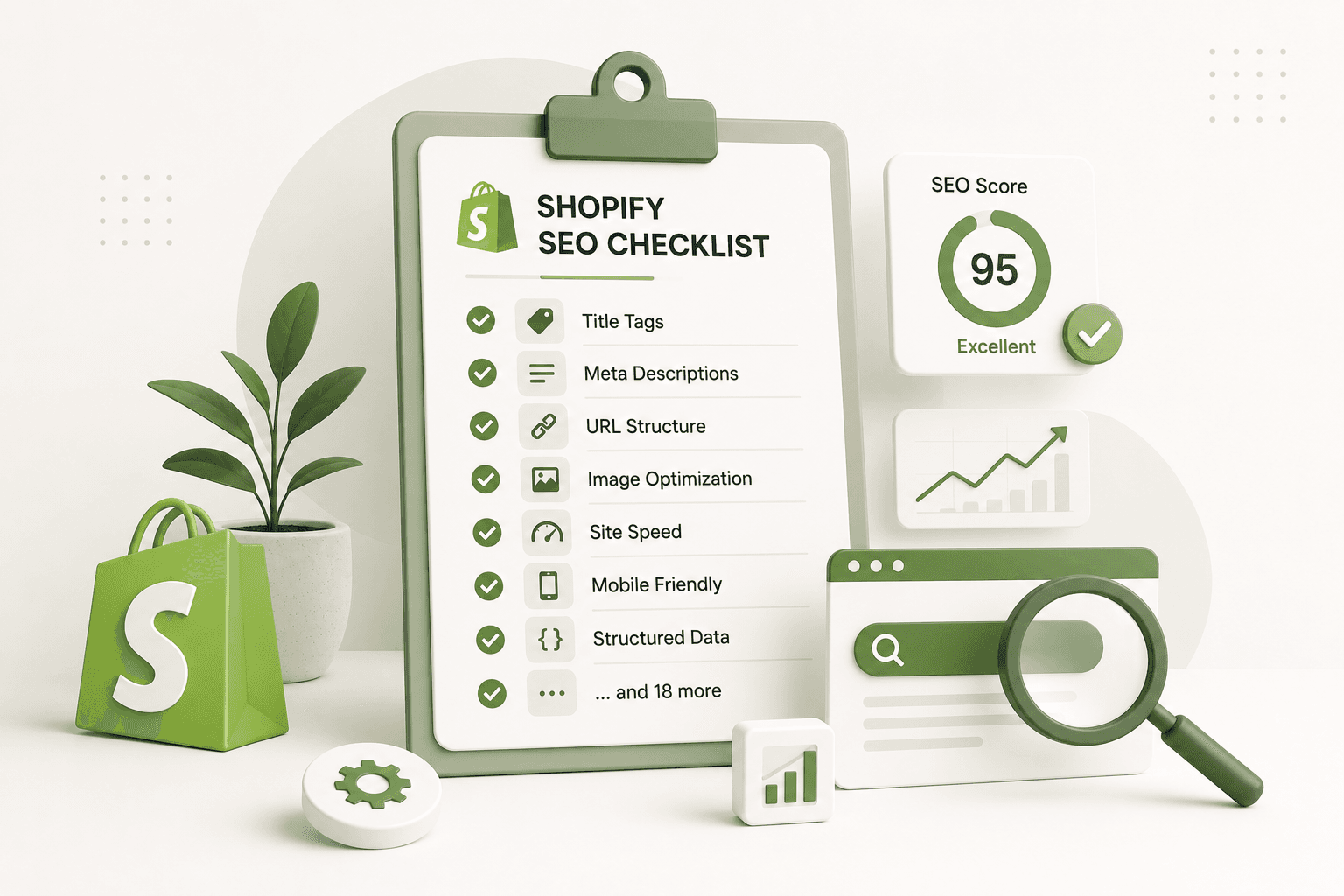
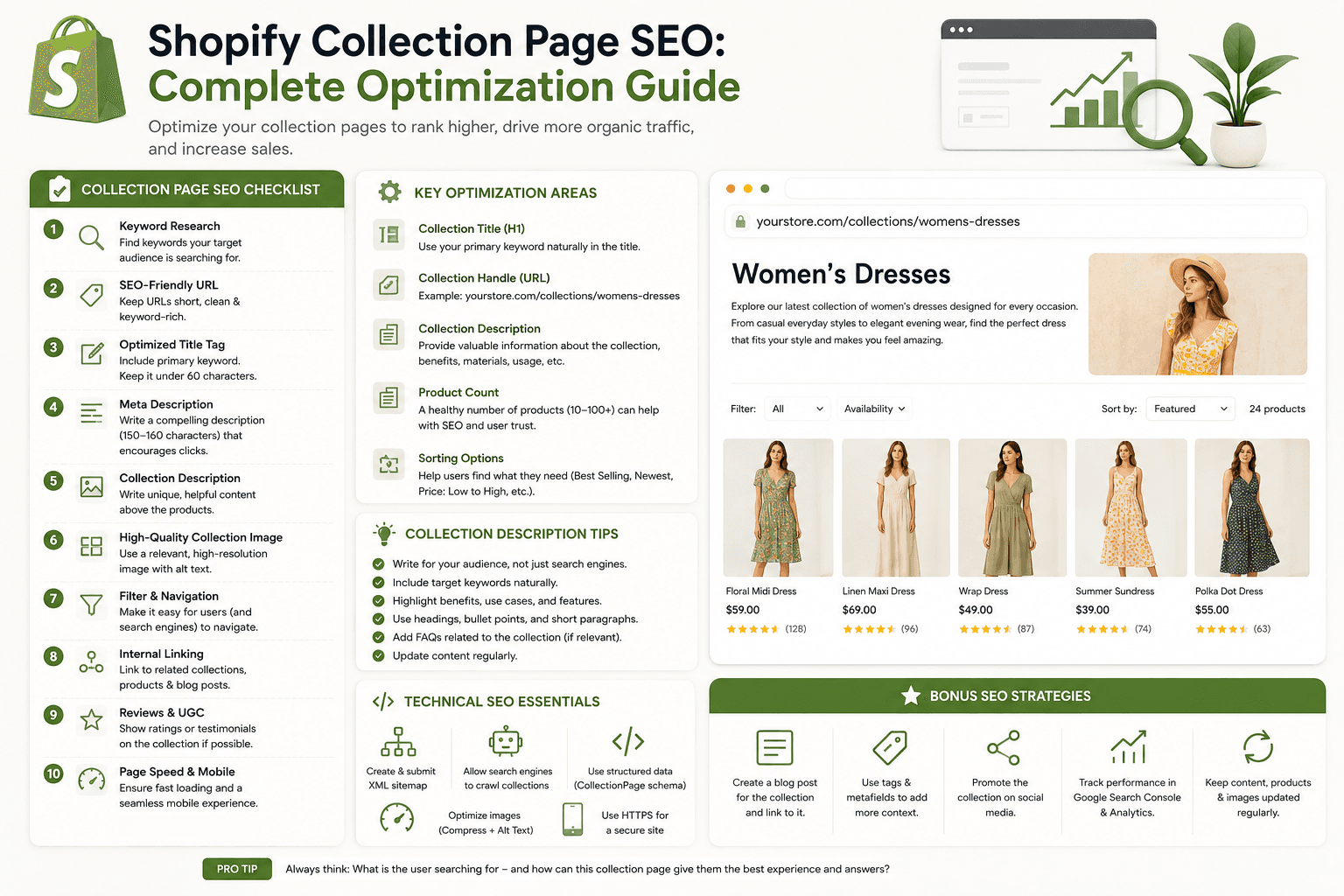
Shopify Collection Page SEO ChecklistBefore publishing or optimizing a collection page, review these areas:
- Search intent
- Collection name
- Collection URL
- SEO title
- Meta description
- Collection description
- H1 heading
- Product relevance
- Product sorting
- Internal links
- Breadcrumbs
- Collection images
- Image alt text
- Filters and sorting
- Pagination
- Canonical URLs
- Indexability
- Structured data
- Mobile usability
- Page performance
Why Shopify Store Speed Matters
1. Understand the Search IntentBefore optimizing a collection page, determine what people are actually searching for.
Suppose your store sells clothing.
Potential searches could include:
- men's t-shirts
- oversized men's t-shirts
- cotton t-shirts for men
- black men's t-shirts
- graphic t-shirts for men
These searches represent different collection opportunities.
Don't create a collection simply because a keyword has search volume. The collection should contain products that genuinely satisfy the search intent.
Why Shopify Store Speed Matters
2. Choose a Clear Collection NameYour collection name should clearly describe the products inside it.
For example:
Men's Running Shoesis more descriptive than:
Performanceunless "Performance" has a clear meaning for your customers and brand.
A clear collection name helps visitors immediately understand what they'll find on the page.
Why Shopify Store Speed Matters
3. Create a Clean Collection URLShopify collection URLs normally use the structure:
/collections/collection-handleA descriptive handle could be:
/collections/mens-running-shoesAvoid unnecessarily complicated handles such as:
/collections/category-123-new-productsKeep the URL readable and aligned with the actual collection.
Why Shopify Store Speed Matters
4. Don't Change Established URLs Without a ReasonIf an existing collection already has a clean URL and has acquired traffic or links, don't change it simply to add another keyword.
If a URL genuinely needs to change, make sure the old URL is redirected appropriately.
Why Shopify Store Speed Matters
5. Optimize the Collection SEO TitleYour SEO title should clearly communicate what the collection contains.
For example:
Men's Running Shoes | Lightweight & Trail OptionsYou can include your brand where it makes sense:
Men's Running Shoes | Brand NameAvoid turning the title into a list of repeated keyword variations.
Why Shopify Store Speed Matters
6. Write a Useful Meta DescriptionA collection meta description should summarize what shoppers can expect to find.
For example:
Explore men's running shoes for daily training,
road running and trail workouts. Browse lightweight
styles, sizes and performance options.
A good description should be written for people rather than treated as a place to insert every related keyword.
Why Shopify Store Speed Matters
7. Create a Strong H1Your collection page should have a clear primary heading.
For example:
<h1>Men's Running Shoes</h1>Make sure custom theme development hasn't accidentally created multiple competing H1 elements or removed the main heading.
Why Shopify Store Speed Matters
8. Write a Helpful Collection DescriptionMany Shopify stores use only a collection title and product grid.
A useful collection description gives search engines and shoppers additional context.
For example:
Explore our collection of men's running shoes
designed for everyday training, road running and
long-distance workouts. Compare lightweight,
cushioned and breathable options to find a pair
that fits your running style.
The description should explain the collection rather than simply repeat its name.
Why Shopify Store Speed Matters
9. Don't Write Descriptions Only for Search EnginesAvoid descriptions like:
Men's running shoes, best men's running shoes,
cheap men's running shoes, men's running shoes online,
buy men's running shoes.
This is difficult to read and doesn't provide useful information.
Instead, explain what the collection contains and help visitors choose between the available products.
Why Shopify Store Speed Matters
10. Match Products Closely to the CollectionProduct relevance is one of the most important parts of a useful collection page.
If your collection is:
Men's Running Shoesthe products should actually be men's running shoes.
Avoid adding unrelated products simply because they might increase the number of items in the collection.
Why Shopify Store Speed Matters
11. Use Logical Product OrganizationProduct ordering can affect how useful the collection feels to shoppers.
Depending on your business, you might prioritize:
- Best sellers
- New arrivals
- Popular products
- Relevant seasonal products
- Products with strong inventory
The best ordering strategy depends on the store's goals and customer behavior.
Why Shopify Store Speed Matters
12. Don't Create Collections for Every Keyword VariationA common ecommerce SEO mistake is creating dozens of nearly identical collection pages.
For example:
/collections/mens-shoes
/collections/mens-shoes-online
/collections/best-mens-shoes
/collections/mens-shoes-sale
/collections/mens-shoes-shop
If these pages contain essentially the same products and content, they may provide little additional value.
Build collections around genuine differences in products, customer intent, or store organization.
Why Shopify Store Speed Matters
13. Use Subcategories Where They Make SenseLarger catalogs can benefit from logical category relationships.
For example:
Men's Shoes
│
├── Running Shoes
├── Casual Shoes
├── Hiking Shoes
└── Formal Shoes
This structure makes it easier for customers to navigate the catalog.
Why Shopify Store Speed Matters
14. Add Internal Links to Important CollectionsInternal links help users discover related parts of your store.
A collection page might link to:
- Parent collections
- Related collections
- Buying guides
- Relevant blog posts
- Important products
For example, a "Men's Running Shoes" collection could link to a guide about choosing running shoes.
Why Shopify Store Speed Matters
15. Use Descriptive Anchor TextInstead of:
Learn moreconsider:
Read our guide to choosing running shoesDescriptive anchor text helps users understand where the link will take them.
Why Shopify Store Speed Matters
16. Add BreadcrumbsBreadcrumbs can make larger ecommerce websites easier to navigate.
For example:
Home
  › Men's Shoes
      › Running Shoes
They provide additional context about the page's position within the site's structure.
Why Shopify Store Speed Matters
17. Optimize Collection ImagesSome Shopify themes allow collection images to appear above or alongside the product grid.
If you use a collection image, make sure it:
- Represents the collection accurately
- Has appropriate dimensions
- Isn't unnecessarily large
- Doesn't make important text difficult to read
- Works well on mobile
Why Shopify Store Speed Matters
18. Use Descriptive Image Alt TextIf the collection image conveys meaningful information, use useful alt text.
For example:
Men's running shoes collectionAvoid keyword stuffing such as:
best men's running shoes cheap men's running shoes
buy men's running shoes online
Why Shopify Store Speed Matters
19. Optimize the Product GridThe product grid is the main part of most collection pages.
Make sure visitors can quickly understand:
- Product name
- Product image
- Price
- Availability where useful
- Variant information where appropriate
Don't sacrifice usability just to display more products on one screen.
Why Shopify Store Speed Matters
20. Make Product Cards SEO-FriendlyProduct cards should use meaningful links and text.
For example:
<a href="/products/leather-laptop-sleeve">
    Handmade Leather Laptop Sleeve
</a>
Avoid generic links that provide little context.
Why Shopify Store Speed Matters
21. Optimize Collection Pages for MobileA collection page can become difficult to use on smaller screens if the product grid, filters, or sorting controls aren't designed properly.
Check:
- Product card width
- Image proportions
- Filter controls
- Sorting controls
- Collection description
- Buttons
- Pagination
- Horizontal overflow
Visitors should be able to browse and filter products comfortably without zooming or scrolling sideways.
Why Shopify Store Speed Matters
22. Use Filters CarefullyProduct filters can make large catalogs much easier to navigate.
Common filters include:
- Size
- Color
- Price
- Brand
- Material
- Availability
However, filtering systems can also create many URL variations.
Not every filter combination needs to become an indexable search landing page.
Why Shopify Store Speed Matters
23. Understand Filtered Collection URLsDepending on the Shopify setup, filters can generate URLs representing particular combinations of attributes.
For example:
/collections/shoes?filter.v.availability=1or other filter parameters.
Before intentionally indexing filtered URLs, determine whether they provide unique, useful content and meaningful search intent.
Otherwise, you may create a large number of low-value URL variations.
Why Shopify Store Speed Matters
24. Don't Index Every Filter Combination AutomaticallyImagine a store has:
10 colors
8 sizes
5 brands
4 materials
Combining those attributes can produce a very large number of possible URLs.
Most of those combinations won't deserve individual search engine landing pages.
Treat filter indexing as an SEO strategy rather than an automatic outcome of your filtering system.
Why Shopify Store Speed Matters
25. Handle Collection Pagination CarefullyLarge collections may contain more products than can reasonably be displayed on one page.
Pagination allows visitors to move through additional products.
Make sure:
- Additional products remain accessible
- Pagination works correctly
- Links are crawlable
- Pages don't create accidental duplicate content
- The user experience remains clear
Don't remove pagination simply because you want every product on one page. Very large product grids can create performance and usability problems.
Why Shopify Store Speed Matters
26. Avoid Infinite Scroll Without Accessible NavigationInfinite scrolling can create a smooth browsing experience, but search engines and users still need a reliable way to access additional products.
If you implement "Load More" or infinite scrolling, make sure the underlying product links remain accessible and the experience works without relying entirely on complex JavaScript.
Why Shopify Store Speed Matters
27. Check Canonical URLsEcommerce navigation can expose the same products through multiple contexts.
For example, a product might appear in:
/collections/running-shoes
/collections/mens-shoes
/collections/sale
Product and collection URL relationships should be handled carefully so search engines can understand the preferred versions of pages.
Don't modify canonical logic without understanding the theme's existing implementation.
Why Shopify Store Speed Matters
28. Check Collection IndexabilityIf an important collection should receive organic traffic, verify that search engines can discover and access it.
Check:
- HTTP status
- Robots directives
- Canonical URL
- Internal links
- Sitemap presence where appropriate
- Collection availability
A perfectly optimized collection won't attract organic traffic if search engines cannot properly access or index it.
Why Shopify Store Speed Matters
29. Use Structured Data CarefullyEcommerce collection pages can contain structured information, but structured data should accurately describe the content that actually exists on the page.
Before adding custom structured data, inspect what your Shopify theme and installed apps already generate.
Avoid adding multiple conflicting implementations just because a structured-data snippet is available online.
Why Shopify Store Speed Matters
30. Don't Copy Product Schema Onto Collection Pages IncorrectlyA collection page contains multiple products, so developers should understand the distinction between the collection page itself and the individual product entities linked from it.
Don't blindly copy a Product structured-data implementation from an individual product template into a collection template without understanding what the markup represents.
Why Shopify Store Speed Matters
31. Improve Collection Page Loading SpeedCollection pages can become heavy because they may display many product images and load filtering, sorting, analytics, and app functionality.
Review:
- Image sizes
- Image loading behavior
- JavaScript
- Third-party apps
- Font loading
- Unused CSS
- Network requests
Why Shopify Store Speed Matters
32. Don't Load Every Product Image at Full SizeIf a product card displays an image at a small rendered size, there is usually no reason to send an unnecessarily large asset.
Use responsive image techniques and the capabilities provided by Shopify's image system and theme architecture.
Why Shopify Store Speed Matters
33. Be Careful With Hover ImagesSome collection grids display a second product image when the user hovers over a card.
This can improve the shopping experience, but loading multiple large images for every product can increase page weight.
Test whether the additional imagery provides enough value to justify its performance cost.
Why Shopify Store Speed Matters
34. Avoid Excessive Collection Page JavaScriptFiltering, sorting, quick views, wishlist buttons, product comparisons, animations, and app integrations can add significant JavaScript to collection pages.
Audit which functionality is actually helping customers.
Removing unnecessary functionality can make the collection easier to use and potentially improve responsiveness.
Why Shopify Store Speed Matters
35. Write Useful Content Around the Product GridA collection page doesn't need to be an enormous article.
However, useful supporting content can help customers understand the category.
For example, a collection for hiking boots could explain:
- How to choose hiking boots
- Important materials
- Terrain considerations
- Waterproofing
- Fit and sizing
The content should support the shopping experience rather than overwhelm the product grid.
Why Shopify Store Speed Matters
36. Consider a Short Introduction Above the GridA concise introduction can immediately explain the collection.
For example:
Explore our collection of men's running shoes,
including lightweight trainers, cushioned daily
shoes and trail-ready options.
This is often more useful than placing a huge paragraph before the products.
Why Shopify Store Speed Matters
37. Consider Additional Content Below the GridMore detailed buying guidance can sometimes work better below the product grid.
A possible structure is:
Collection Heading
        ↓
Short Introduction
        ↓
Filters + Product Grid
        ↓
Buying Guide
        ↓
FAQs
        ↓
Related Collections
This lets visitors browse products first while still providing useful supporting information.
Why Shopify Store Speed Matters
38. Don't Hide All Important Content Behind JavaScriptIf important category information is only loaded after a complex client-side interaction, make sure the underlying experience remains accessible and understandable.
Prefer straightforward HTML and server-rendered content where it makes sense for the theme.
Why Shopify Store Speed Matters
39. Build Strong Internal Linking Between CollectionsRelated collections can help users discover additional products.
For example:
Men's Shoes
│
├── Running Shoes
├── Hiking Shoes
├── Casual Shoes
└── Formal Shoes
These relationships can be reflected through navigation and useful contextual links.
Why Shopify Store Speed Matters
40. Link Relevant Blog Content to CollectionsYour blog can support important collection pages.
For example:
Blog:
How to Choose the Right Running Shoes
        ↓
Collection:
Men's Running Shoes
        ↓
Products
This creates a useful path from informational content to commercial pages.
Why Shopify Store Speed Matters
41. Link From Collections to Useful Buying GuidesIf customers need additional information before purchasing, link to relevant guides.
Examples include:
- Size guides
- Material guides
- Comparison articles
- Buying guides
- Care instructions
Why Shopify Store Speed Matters
42. Avoid Orphaned CollectionsAn important collection shouldn't exist without meaningful internal links pointing to it.
Review your:
- Main navigation
- Footer
- Parent collections
- Related collections
- Blog content
- Homepage
Make sure important category pages can be discovered naturally.
Why Shopify Store Speed Matters
43. Use Navigation StrategicallyYour main navigation should prioritize the categories that matter most to your customers and business.
Don't add every possible collection to the main menu.
A huge navigation menu can become difficult to use and can obscure the most important categories.
Why Shopify Store Speed Matters
44. Optimize Collection Pages for ConversionsSEO traffic is only useful if the collection helps visitors move toward a purchase.
Make it easy to:
- Compare products
- See prices
- Understand product differences
- Filter products
- Sort products
- Open product details
Why Shopify Store Speed Matters
45. Don't Overload the Collection With Promotional ElementsLarge banners, popups, promotional blocks, and advertisements can push the actual products too far down the page.
Promotional content should support the shopping experience rather than hide the products users came to see.
Why Shopify Store Speed Matters
46. Handle Empty Collections ProperlyAn empty collection creates a poor experience for visitors.
If a collection contains no products, consider:
- Adding relevant products
- Removing the collection from navigation
- Redirecting where appropriate
- Providing alternative categories
Don't leave important navigation links pointing to empty category pages without a useful explanation.
Why Shopify Store Speed Matters
47. Handle Seasonal Collections CarefullySeasonal collections such as:
/collections/summer-salemay only be useful for part of the year.
Think about what happens when the promotion ends.
If the URL has acquired useful traffic or links, don't automatically delete it without considering the long-term strategy.
Why Shopify Store Speed Matters
48. Don't Delete High-Value Collections Too QuicklyA collection that isn't currently a major sales driver may still have organic visibility, backlinks, or historical value.
Review the page's performance before making permanent changes.
Why Shopify Store Speed Matters
49. Monitor Collection SEO PerformanceAfter optimization, monitor how important collection pages perform.
Useful metrics include:
- Organic impressions
- Organic clicks
- Search queries
- Organic landing page traffic
- Conversion rate
- Revenue from organic traffic
- Indexing status
- Page performance
Don't judge a collection only by its ranking position. Look at whether it attracts the right visitors and contributes to business results.
Why Shopify Store Speed Matters
50. Improve Underperforming CollectionsIf a collection receives impressions but few clicks, review its:
- SEO title
- Meta description
- Search intent alignment
- Collection name
If it receives traffic but doesn't convert, investigate:
- Product relevance
- Pricing
- Product presentation
- Filters
- Mobile usability
- Page speed
- Trust signals
Why Shopify Store Speed Matters
Example of an SEO-Friendly Shopify Collection PageImagine you sell running shoes.
Collection Name
Men's Running ShoesURL
/collections/mens-running-shoesSEO Title
Men's Running Shoes | Lightweight & Cushioned StylesMeta Description
Shop men's running shoes for daily training,
road running and trail workouts. Explore lightweight,
cushioned and breathable styles.
Page Structure
H1
Men's Running Shoes

Short Introduction

Filters + Sorting

Product Grid

Buying Guide

H2
How to Choose Running Shoes

H2
Running Shoe Features

H2
Frequently Asked Questions

Related Collections
This structure provides both a strong shopping experience and useful contextual information.
Why Shopify Store Speed Matters
Shopify Collection SEO Mistakes to Avoid- Using vague collection names
- Creating keyword-stuffed descriptions
- Creating dozens of duplicate collections
- Adding unrelated products
- Ignoring collection URLs
- Changing URLs unnecessarily
- Ignoring mobile usability
- Loading unnecessarily large images
- Adding too much JavaScript
- Indexing every filter combination
- Creating orphaned collections
- Ignoring pagination
- Using generic anchor text everywhere
- Adding duplicate structured data
- Deleting useful seasonal collections without a plan
- Focusing only on rankings and ignoring conversions
Why Shopify Store Speed Matters
Shopify Collection Page SEO Checklist Before Publishing- Does the collection target a genuine search intent?
- Is the collection name clear?
- Is the URL short, descriptive and relevant?
- Is the SEO title useful and readable?
- Is the meta description unique?
- Does the page have a clear H1?
- Does the collection description provide useful information?
- Are the products genuinely relevant?
- Are product cards easy to understand?
- Are filters useful and easy to use?
- Are filtered URLs handled appropriately?
- Does pagination work correctly?
- Are important internal links present?
- Are breadcrumbs useful?
- Is the collection image optimized?
- Does meaningful image content have appropriate alt text?
- Is the collection mobile-friendly?
- Is the page fast enough?
- Is the canonical URL appropriate?
- Is the collection indexable?
- Does existing structured data accurately represent the page?
- Does the collection help users move toward relevant products?
Why Shopify Store Speed Matters
Frequently Asked QuestionsHow do I optimize a Shopify collection page for SEO?
Start with search intent and create a collection that genuinely matches what shoppers are looking for. Then optimize the collection name, URL, SEO title, meta description, H1, description, products, internal links, images, filters, mobile experience, performance and technical SEO.
Are Shopify collection pages good for SEO?
Yes. Collection pages can be valuable ecommerce landing pages because they group related products around broader commercial topics. Their usefulness depends on product relevance, page quality, technical accessibility and how well the collection matches search intent.
How long should a Shopify collection description be?
There is no universal ideal word count. Write enough to explain what the collection contains, help shoppers make decisions and provide useful context. Avoid adding filler simply to make the description longer.
Should every Shopify collection have a unique description?
Important collections should have content that accurately describes that specific category. Avoid copying the same generic paragraph across multiple collections.
Should Shopify collection pages have an H1?
A collection page should generally have a clear primary heading that identifies the collection. Check your theme's rendered HTML to make sure the heading hierarchy is implemented correctly.
Should I index Shopify collection filters?
Not automatically. Some filtered combinations may represent useful search topics, but many create low-value variations. Decide which filter-based pages deserve search visibility based on their unique value and search intent.
Should I add keywords to Shopify collection descriptions?
Use relevant terminology naturally when describing the products and category. Avoid keyword stuffing or repeating the same phrase simply to increase keyword frequency.
How many products should a Shopify collection have?
There is no universal ideal number. The appropriate size depends on the category, catalog and user experience. Larger collections can use pagination, filtering and sorting to help shoppers navigate the products.
Should Shopify collection pages have images?
A collection image can help communicate the category visually, but it should support the shopping experience without unnecessarily increasing page weight.
How do collection pages and product pages work together for SEO?
Collection pages can target broader category-level searches, while product pages can target searches for individual products and specific attributes. Internal links between collections and products help users and search engines navigate the catalog.
Why Shopify Store Speed Matters
Final ThoughtsA Shopify collection page should be more than a grid of product cards.
It should clearly communicate what the category contains, help shoppers find the right products, and provide search engines with enough context to understand the page.
Start with search intent and product relevance. Then build a clear collection name, clean URL, useful SEO title, compelling meta description and informative content.
Make the product grid easy to browse, use filters carefully, create useful internal links, optimize images, and ensure the page performs well on mobile.
Pay particular attention to ecommerce technical SEO. Filter combinations, pagination, canonical URLs, duplicate content and third-party apps can all affect how a large Shopify catalog behaves.
Most importantly, don't optimize collection pages only for search engines.
The best collection pages help customers understand the category, compare relevant products and move naturally toward a purchase.
When SEO, product organization, performance, usability and conversion optimization work together, your Shopify collection pages become valuable landing pages rather than simple product grids.