Choosing the right e-commerce platform is one of the most important decisions you can make when launching or rebuilding an online store. The platform you choose affects how your store is designed, how products are managed, how payments and orders are handled, how much technical maintenance is required, how easily the store can scale, and how much control you have over the customer experience.
Two of the most widely used options for building an online store are WordPress with WooCommerce and Shopify. Both platforms can power successful e-commerce businesses, but they approach online store development very differently.
Shopify is a hosted commerce platform designed specifically for selling online. It handles much of the infrastructure required to operate a store, including hosting, security, checkout infrastructure, and core commerce functionality.
WordPress is a content management system, while WooCommerce adds e-commerce functionality to WordPress. This combination provides extensive control over content, hosting, functionality, and customization, but it also means that the store owner or development team has more technical responsibilities.
There is no universal answer to the question of whether Shopify or WordPress is better. The right platform depends on your business model, budget, technical requirements, content strategy, design requirements, expected growth, internal resources, and the type of customer experience you want to create.
In this guide, we will compare WordPress vs Shopify for e-commerce, including ease of use, pricing considerations, hosting, security, customization, themes, plugins and apps, SEO, performance, scalability, payments, inventory, content management, international selling, maintenance, development requirements, and long-term business considerations.
WordPress vs Shopify: The Basic Difference
The most important difference is how the two platforms are structured.
Shopify is a hosted e-commerce platform. You create a Shopify store and use Shopify's infrastructure to operate it. Hosting and many core technical services are managed as part of the platform.
WordPress is a content management system. To create a traditional WordPress e-commerce store, you generally combine WordPress with WooCommerce and choose a hosting provider. You are responsible for managing more parts of the technical stack.
This difference creates a fundamental trade-off:
- Shopify: More managed infrastructure and a commerce-first workflow.
- WordPress + WooCommerce: More control and flexibility, with greater technical responsibility.
Neither approach is inherently better. The right choice depends on what your business values most.
What Is Shopify?
Shopify is a hosted commerce platform designed to help businesses create and operate online stores.
It provides tools for managing products, collections, inventory, orders, customers, discounts, payments, shipping, storefronts, and other commerce operations.
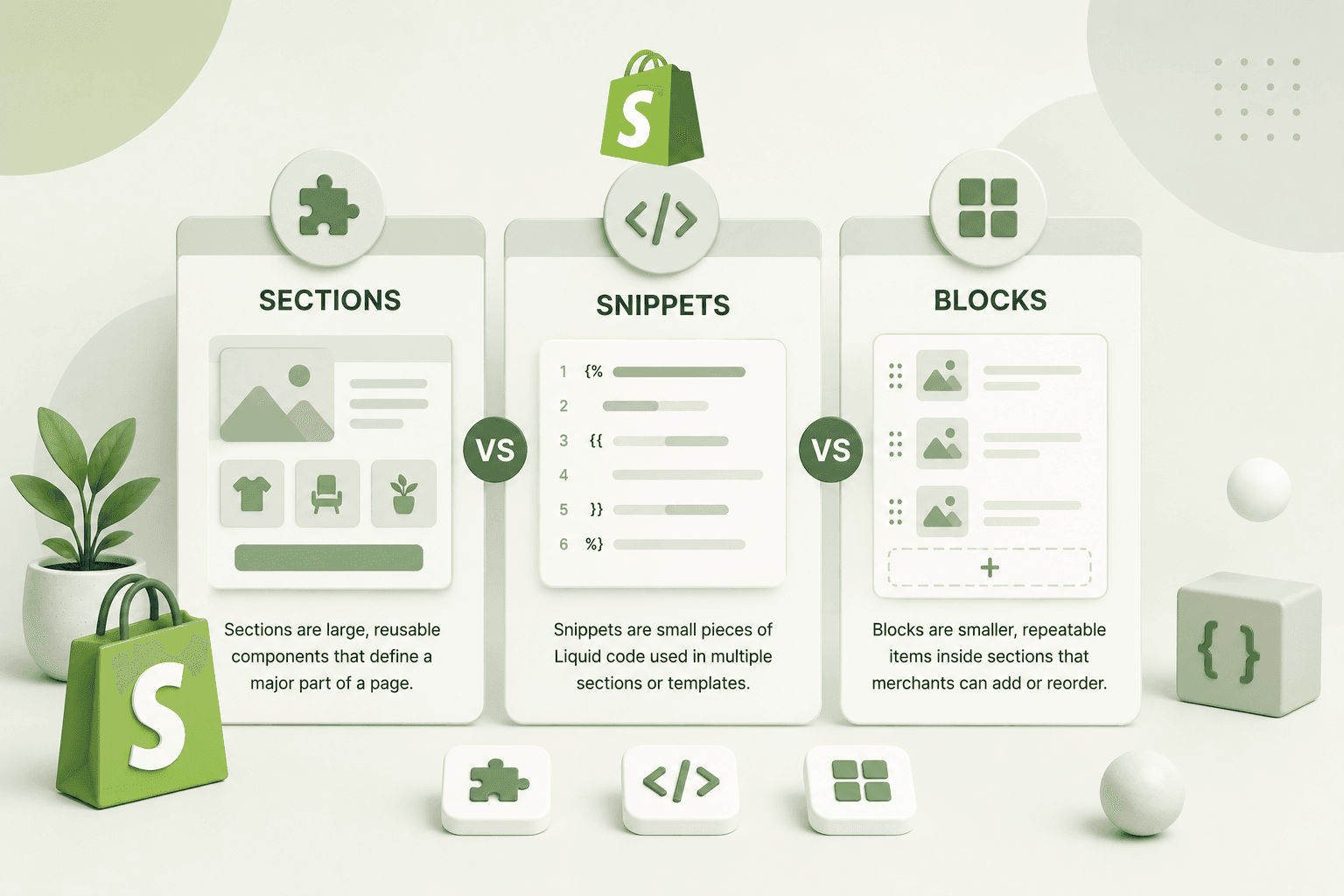
Shopify also provides a theme system that allows developers to customize the storefront using Liquid, HTML, CSS, JavaScript, JSON templates, sections, blocks, and Shopify's Online Store architecture.
For businesses that need custom functionality, Shopify can also be extended through apps, APIs, webhooks, Shopify Functions, and other platform capabilities.
This makes Shopify suitable for both relatively simple stores and highly customized e-commerce experiences.
What Is WordPress + WooCommerce?
WordPress is an open-source content management system that can be extended through plugins and themes.
WooCommerce adds e-commerce functionality to WordPress, allowing businesses to create product catalogs, manage orders, configure payments, handle shipping, create coupons, and build other commerce features.
Unlike Shopify, a typical WordPress installation requires you to select and manage hosting separately.
You may also be responsible for:
- WordPress updates.
- Plugin updates.
- Theme updates.
- Security configuration.
- Backups.
- Performance optimization.
- Server configuration.
- Database maintenance.
- Plugin compatibility.
This provides considerable control, but it also introduces additional technical responsibilities.
Shopify vs WordPress: Quick Comparison
Before looking at each category in detail, the following comparison provides a general overview:
- Ease of setup: Shopify generally has the simpler setup process.
- Hosting: Shopify includes hosted infrastructure; WordPress requires separate hosting.
- Customization: Both are highly customizable, but they provide different types of control.
- Content management: WordPress is exceptionally strong for content-heavy websites.
- E-commerce focus: Shopify is built specifically around commerce.
- Maintenance: Shopify generally requires less infrastructure maintenance.
- Plugin ecosystem: WordPress has a huge plugin ecosystem; Shopify uses apps and platform extensions.
- Technical control: WordPress provides more direct control over hosting and server-level configuration.
- Scalability: Both can support serious e-commerce businesses, but scaling works differently.
- Developer flexibility: WordPress offers extensive control over the application stack, while Shopify provides powerful commerce-specific APIs and extension points.
The important point is that a feature checklist alone should not determine your decision. Consider how your team will actually operate the platform every day.
1. Ease of Use
For many business owners, ease of use is one of the biggest considerations.
Shopify is designed so that a merchant can create a store without needing to manage a web server. Products, orders, customers, themes, and many commerce settings can be managed from the Shopify administration interface.
WordPress with WooCommerce can also be relatively easy for non-technical users once it has been configured properly. However, the initial setup and ongoing maintenance can involve more technical decisions.
For example, a WordPress store may require decisions about:
- Hosting provider.
- PHP configuration.
- WordPress version.
- WooCommerce configuration.
- Theme selection.
- Plugin selection.
- Backups.
- Security.
- Caching.
For a business owner who wants to focus primarily on selling rather than managing infrastructure, Shopify can be an attractive option.
2. Hosting
Hosting is one of the biggest differences between the platforms.
With Shopify, the storefront operates on Shopify's hosted infrastructure. You do not need to purchase conventional web hosting separately for the Shopify store.
With WordPress and WooCommerce, you normally choose a hosting provider and are responsible for the infrastructure associated with that hosting environment.
This means WordPress gives you more control but also creates more decisions.
For businesses without an internal technical team, reducing infrastructure management can be a significant advantage.
3. Security
Security is essential for any e-commerce website because stores process customer information and financial transactions.
Shopify manages much of the platform infrastructure and provides a hosted commerce environment. Merchants still need to protect administrator accounts, use secure credentials, configure permissions correctly, and carefully evaluate third-party applications.
With WordPress, the security responsibility is more distributed. WordPress core, WooCommerce, plugins, themes, hosting configuration, server software, and custom code can all influence the security posture of the store.
This does not mean WordPress stores are inherently insecure. A well-maintained WordPress and WooCommerce installation can be secure, but it requires appropriate technical maintenance.
If security is a concern, the platform should be evaluated together with the quality of implementation, hosting, updates, permissions, backups, and development practices.
4. Design and Theme Customization
Both platforms provide extensive opportunities for storefront customization.
Shopify themes can be customized using Liquid, HTML, CSS, JavaScript, JSON templates, sections, blocks, and theme settings.
Modern Shopify themes can provide flexible content management while allowing developers to create custom storefront experiences.
WordPress provides themes and page-building approaches that can also be extensively customized. Developers can modify theme templates, styles, PHP functionality, JavaScript, plugins, and other parts of the application.
The difference is primarily architectural.
Shopify customization happens within Shopify's platform boundaries, while WordPress provides much broader control over the underlying application and server environment.
5. Shopify Liquid vs WordPress PHP
Developers working on Shopify themes commonly work with Liquid, Shopify's templating language, alongside HTML, CSS, JavaScript, JSON, and Shopify's APIs.
WordPress development commonly involves PHP, JavaScript, HTML, CSS, and the WordPress and WooCommerce APIs.
Liquid intentionally limits direct access to the underlying server environment. This is part of Shopify's managed platform architecture.
WordPress gives developers much deeper access to the application layer and server environment.
Therefore, developers who require complete backend control may prefer WordPress, while developers working primarily on commerce storefronts may find Shopify's architecture highly productive.
6. Apps vs Plugins
Both ecosystems can be extended significantly.
Shopify uses apps and platform extensions to add functionality such as reviews, subscriptions, marketing, analytics, customer support, product customization, loyalty programs, and other features.
WordPress uses plugins to add functionality to the website.
WordPress has an enormous plugin ecosystem, which is one of its biggest strengths. There are plugins for almost every common website requirement.
However, installing too many plugins can create maintenance, compatibility, performance, and security concerns.
Shopify apps can create similar considerations. A store with many applications may accumulate third-party scripts, network requests, widgets, and integrations that affect storefront performance.
In both ecosystems, the goal should be to install only the functionality the business actually needs.
7. SEO Capabilities
Both Shopify and WordPress can be used to build search-engine-friendly e-commerce websites.
SEO success does not come automatically from choosing one platform.
A strong e-commerce SEO strategy may include:
- Search-intent-focused content.
- Useful product descriptions.
- Category and collection optimization.
- Internal linking.
- Structured data.
- Canonical URLs.
- Indexation control.
- XML sitemaps.
- Image optimization.
- Core Web Vitals optimization.
- Technical SEO.
- High-quality backlinks.
WordPress is particularly attractive for businesses that depend heavily on content marketing because of its mature publishing capabilities.
Shopify also supports important SEO controls and can be extended with apps or custom development when additional functionality is required.
The quality of the implementation is often more important than the platform name itself.
8. Content Marketing
If your business plans to publish a large amount of editorial content, WordPress deserves serious consideration.
WordPress was originally built as a publishing platform and has a mature content management ecosystem.
Businesses can create:
- Blog articles.
- Guides.
- Landing pages.
- Case studies.
- Resource libraries.
- Knowledge bases.
- Custom post types.
- Editorial workflows.
Shopify also supports blogging and content pages, but if the website is primarily a large content publication with e-commerce as a secondary feature, WordPress can offer a more natural content-management experience.
9. Performance
Performance depends heavily on implementation rather than simply the platform.
A poorly built Shopify theme can be slow, especially if it includes unnecessary JavaScript, large images, excessive third-party apps, and inefficient frontend code.
A poorly configured WordPress store can also be slow because of heavy themes, plugins, hosting limitations, large databases, inefficient queries, and excessive third-party resources.
For either platform, important performance areas include:
- Image optimization.
- JavaScript execution.
- CSS delivery.
- Third-party scripts.
- Server response time.
- Caching.
- CDN configuration.
- Font loading.
- DOM complexity.
- Unused code.
Core Web Vitals such as LCP, INP, and CLS should also be considered when evaluating the real user experience.
If your existing Shopify store needs technical performance improvements, you can explore the Shopify Development service.
10. Scalability
Both Shopify and WooCommerce can support growing e-commerce businesses, but scalability works differently.
Shopify's hosted model removes many infrastructure management responsibilities from merchants. Businesses can focus more heavily on store operations, products, customers, and marketing.
With WooCommerce, scaling may require additional attention to hosting resources, caching, database performance, CDN configuration, server architecture, and application optimization.
This can provide considerable flexibility for organizations with strong technical resources.
For businesses without an infrastructure team, a managed platform can simplify growth.
11. Custom Functionality
Both platforms can support custom functionality, but developers approach it differently.
Shopify provides APIs, webhooks, apps, theme extensions, Shopify Functions, checkout-related extensibility depending on the current platform capabilities, and other extension mechanisms.
Shopify developers can also build custom storefronts and integrate external systems through APIs.
WordPress provides direct access to the application code, database, server environment, plugins, REST APIs, and PHP ecosystem.
If you require a highly specialized application that operates beyond traditional e-commerce functionality, WordPress can provide more low-level control.
If your custom requirements are strongly connected to Shopify's commerce ecosystem, Shopify's APIs and extension architecture can provide an efficient development path.
12. Headless E-Commerce
Both Shopify and WooCommerce can be used in headless architectures, although the implementation details differ.
In a headless architecture, the commerce backend and frontend presentation layer are separated.
For example, a Shopify store can use Shopify as the commerce backend while a custom frontend is built with technologies such as React or Next.js.
This approach can provide extensive control over the customer-facing experience while retaining Shopify's commerce capabilities.
WordPress and WooCommerce can also be used with custom frontend frameworks and APIs.
However, headless development introduces additional complexity and is not necessary for every store.
If your business needs a custom headless storefront, explore the React & Next.js Development service.
13. Payment Processing
Payment options are a critical consideration for e-commerce businesses.
Shopify provides integrated commerce infrastructure and supports payment options through Shopify Payments where available, as well as third-party payment providers depending on the merchant's location and eligibility.
WooCommerce provides extensive payment gateway flexibility through plugins and integrations.
This flexibility can be particularly valuable for businesses that require a specific regional payment provider or custom payment workflow.
However, payment availability, transaction fees, supported currencies, and eligibility can vary by country and provider, so these details should be checked for the specific market where the store operates.
14. International E-Commerce
International commerce introduces additional requirements such as currencies, languages, taxes, shipping rules, domains, regional content, payment methods, and localized customer experiences.
Shopify provides commerce features designed to support international selling, while WordPress and WooCommerce can achieve similar functionality through configuration and extensions.
The best choice depends on how complex your international operation is and how much control your team needs over localization.
Before choosing a platform, document your international requirements instead of assuming that any platform will support every requirement automatically.
15. Inventory Management
Both Shopify and WooCommerce provide inventory management capabilities.
However, businesses with complex inventory requirements may eventually integrate their e-commerce platform with an external inventory, ERP, warehouse, or enterprise system.
For example, a growing business might need to synchronize:
- Stock levels.
- Warehouses.
- Purchase orders.
- Suppliers.
- Orders.
- Product information.
- Returns.
Both platforms can participate in larger technology ecosystems through APIs and integrations.
16. Product Management
Product management is central to any e-commerce business.
Shopify provides tools for creating products, variants, collections, inventory information, pricing, media, and related commerce data.
WooCommerce provides similar core functionality while also allowing developers to extend product data through WordPress's flexible content architecture.
If your products require highly customized data structures, WordPress can provide extensive flexibility. Shopify also provides metafields and metaobjects for structured custom data, making it possible to build sophisticated product experiences within the platform.
17. Checkout Experience
Checkout is one of the most important parts of an online store because friction at this stage can affect completed purchases.
Shopify provides a managed checkout environment and offers checkout customization and extensibility depending on the merchant's plan and current Shopify capabilities.
WooCommerce provides extensive control over checkout through themes, plugins, hooks, templates, and custom development.
More control can be valuable, but it also means more responsibility for testing and maintaining the checkout experience.
Regardless of the platform, checkout should be:
- Fast.
- Mobile-friendly.
- Clear.
- Secure.
- Easy to navigate.
- Free from unnecessary distractions.
18. Customization: Shopify vs WordPress
One common misconception is that Shopify is not customizable.
Modern Shopify development can be highly customized. Developers can build custom themes, sections, blocks, product experiences, cart interfaces, storefront interactions, apps, APIs, and integrations.
However, Shopify intentionally controls parts of the underlying infrastructure.
WordPress provides deeper access to the application and hosting environment, which means developers can modify much more of the underlying system.
Therefore, the question is not simply "Which platform is more customizable?"
The better question is:
"What type of customization does your business actually need?"
19. Maintenance Requirements
Maintenance can become a major long-term cost if it is ignored during platform selection.
Shopify generally reduces the amount of infrastructure maintenance required from the merchant because the platform is managed as a hosted service.
WordPress requires more ongoing maintenance, especially when a store uses multiple plugins and custom integrations.
Typical WordPress maintenance may include:
- Core updates.
- Plugin updates.
- Theme updates.
- Security monitoring.
- Backup verification.
- Performance monitoring.
- Compatibility testing.
- Database optimization.
For a business without technical staff, this difference can become significant over time.
20. Cost Considerations
Comparing Shopify and WordPress purely by subscription price can be misleading because the total cost of an e-commerce platform includes much more than the basic platform fee.
Consider the full cost of:
- Hosting.
- Domain.
- Themes.
- Apps or plugins.
- Payment processing.
- Development.
- Maintenance.
- Security.
- Performance optimization.
- Backups.
- Third-party integrations.
A platform with a lower entry price may become more expensive if it requires significant technical maintenance or custom development.
Likewise, Shopify costs can increase as a store adds paid apps, advanced requirements, development work, and other services.
The correct approach is to estimate the total cost of ownership rather than comparing only monthly platform prices.
21. Shopify for Small Businesses
Shopify can be a strong choice for small businesses that want to launch an online store without building and maintaining their own infrastructure.
A small business may benefit from:
- Quick setup.
- Managed hosting.
- Commerce-focused administration.
- Theme customization.
- Payment integrations.
- App ecosystem.
- Scalable commerce features.
This allows business owners to focus more heavily on products, marketing, customers, and sales.
22. WordPress for Content-Heavy Businesses
WordPress can be particularly attractive when content publishing is a central part of the business strategy.
For example, a company might need:
- A large editorial website.
- Hundreds of educational articles.
- Custom content types.
- Author profiles.
- Resource libraries.
- Documentation.
- Community features.
- E-commerce as one component of the website.
In these situations, WordPress's content management capabilities can be extremely useful.
23. Shopify for E-Commerce-First Businesses
If the primary purpose of your website is selling products, Shopify's commerce-first approach can be particularly attractive.
The platform is built around concepts such as:
- Products.
- Collections.
- Orders.
- Customers.
- Discounts.
- Inventory.
- Checkout.
- Payments.
- Shipping.
This can create a straightforward workflow for merchants who primarily need an online store rather than a highly customized publishing platform.
24. When WordPress May Be the Better Choice
WordPress and WooCommerce may be a better fit when your business has requirements such as:
- Highly customized content structures.
- Extensive editorial publishing.
- Direct server-level control.
- Specialized backend functionality.
- Custom WordPress integrations.
- Existing WordPress infrastructure.
- Strong internal WordPress expertise.
- Complex content-driven SEO strategy.
However, these advantages should be balanced against the additional maintenance responsibilities that come with the platform.
25. When Shopify May Be the Better Choice
Shopify may be a better fit when your business values:
- Fast store setup.
- Managed infrastructure.
- Commerce-first functionality.
- Lower infrastructure maintenance.
- Professional storefront themes.
- Commerce integrations.
- Scalable hosted infrastructure.
- Simple day-to-day store management.
It is especially attractive for merchants who want to spend more time running the business and less time managing the underlying web infrastructure.
26. Shopify vs WordPress for SEO
If organic search is a major acquisition channel, do not choose a platform based only on claims that one platform is automatically "better for SEO."
Both platforms can support technically strong SEO implementations.
Your results will depend heavily on:
- Keyword and search-intent research.
- Content quality.
- Site architecture.
- Internal links.
- Technical SEO.
- Page performance.
- Structured data.
- Indexation.
- Backlinks.
- Brand authority.
WordPress can be especially powerful for content marketing, while Shopify can provide a strong foundation for e-commerce SEO when the store architecture and content are implemented correctly.
27. Shopify vs WordPress for Blogging
WordPress generally has an advantage when blogging and editorial publishing are central to the business.
Its publishing architecture is mature and highly extensible.
Shopify includes blogging functionality, but a business with a very large editorial operation may prefer WordPress's content management capabilities.
However, if the blog primarily supports an e-commerce store with product education, buying guides, announcements, and SEO content, Shopify's built-in blogging capabilities may be sufficient depending on your requirements.
28. Migration: WordPress to Shopify
Businesses sometimes move from WooCommerce to Shopify when they want to reduce infrastructure management or simplify store operations.
A migration should not be treated as simply exporting products and importing them into a new platform.
A proper migration may involve:
- Product migration.
- Customer data migration.
- Order data considerations.
- URL mapping.
- 301 redirects.
- SEO metadata.
- Images.
- Navigation.
- Collection structure.
- Analytics.
- Tracking.
- Third-party integrations.
- Payment configuration.
SEO should receive particular attention because changing URLs without appropriate redirects can cause traffic and indexing problems.
If you are planning to move an existing store to Shopify, professional Shopify Development can help with custom theme work, integrations, storefront customization, and migration-related development.
29. Migration: Shopify to WordPress
The opposite migration is also possible when a business needs capabilities that are better suited to WordPress.
However, the same principle applies: migration should be treated as a complete website project rather than a simple platform switch.
Plan carefully for:
- URLs.
- SEO metadata.
- Redirects.
- Product data.
- Images.
- Customer data.
- Orders.
- Analytics.
- Payment systems.
- Shipping.
- Third-party integrations.
Test the new website thoroughly before changing the primary domain configuration.
30. Choosing Based on Your Technical Team
Your internal team should influence the platform decision.
If your company has developers experienced in PHP, WordPress, WooCommerce, databases, server management, and infrastructure, WordPress may provide significant flexibility.
If your team specializes in Shopify, Liquid, JavaScript, APIs, and commerce development, Shopify may provide a more efficient development environment.
A platform is only as valuable as your ability to operate and maintain it effectively.
31. Think About Long-Term Ownership
Platform selection should not be based only on what is easiest to launch today.
Think about where the business may be in three, five, or ten years.
Ask:
- Will the catalog become significantly larger?
- Will you sell internationally?
- Will you need multiple warehouses?
- Will you require ERP integration?
- Will content marketing become important?
- Will you need a headless storefront?
- Will you need custom applications?
- Will multiple people manage the store?
- Will your marketing stack become more complex?
The answers can help you identify which platform will remain practical as the business grows.
32. Don't Choose a Platform Because It Is Popular
Popularity is not a substitute for technical fit.
A platform may be extremely popular but still be the wrong choice for a particular business.
Start with your business requirements and then evaluate the platforms against those requirements.
Create a simple list of must-have features, nice-to-have features, budget constraints, technical requirements, and long-term goals.
This makes platform selection much more objective.
33. Consider Your Customer Experience
The platform should ultimately support the experience you want customers to have.
Consider the entire journey:
- Discover the brand.
- Visit the website.
- Browse products.
- Search and filter.
- Read product information.
- Add products to the cart.
- Complete checkout.
- Receive order updates.
- Return or exchange products.
- Become a repeat customer.
The best platform is one that allows your team to create and maintain this experience effectively.
34. Shopify vs WooCommerce for Mobile Commerce
Mobile performance is essential for modern e-commerce.
Both Shopify and WooCommerce can support responsive storefronts, but the quality of the implementation matters more than the platform itself.
Make sure your store has:
- Responsive layouts.
- Readable typography.
- Touch-friendly controls.
- Fast-loading images.
- Simple navigation.
- Efficient product filtering.
- Easy cart interactions.
- Fast checkout.
Test important customer journeys on real mobile devices rather than relying exclusively on desktop development tools.
35. Third-Party Integrations
Most serious e-commerce stores eventually connect to external systems.
These can include:
- Accounting platforms.
- ERP systems.
- CRM platforms.
- Email marketing systems.
- Shipping providers.
- Inventory systems.
- Analytics platforms.
- Customer support systems.
- Marketing automation.
Both Shopify and WordPress can integrate with external services through apps, plugins, APIs, webhooks, and custom development.
Before choosing a platform, verify that your most important business integrations are supported.
36. Developer Availability
The availability of developers is another practical consideration.
Shopify developers commonly work with Liquid, JavaScript, Shopify APIs, GraphQL, theme architecture, and app development.
WordPress developers commonly work with PHP, JavaScript, WordPress APIs, WooCommerce, databases, themes, and plugins.
If you already have a trusted development team, staying within technologies they understand can reduce development and maintenance costs.
For businesses looking for Shopify-focused development, you can explore the Shopify Development service by Built by Saurav.
37. When a Hybrid Approach Makes Sense
Sometimes the answer does not have to be strictly Shopify or WordPress.
A business may use different technologies for different parts of its digital ecosystem.
For example, a company might operate an e-commerce store on Shopify while maintaining a separate content or editorial system for specialized publishing requirements.
Headless and API-driven architectures can also allow different systems to communicate.
However, every additional system introduces integration and maintenance complexity. A hybrid architecture should therefore be used because there is a genuine business or technical reason for it.
38. Shopify vs WordPress: Which Is Better for Beginners?
For a beginner who wants to launch an online store quickly without managing hosting and server infrastructure, Shopify is generally easier to get started with.
WordPress can also be beginner-friendly after a developer or experienced administrator has configured the environment, but there are more technical components to understand.
If you want to learn web development itself, WordPress can expose you to more layers of the web stack. If your immediate objective is launching a commerce business, Shopify's managed environment can reduce the initial technical workload.
39. Shopify vs WordPress: Which Is Better for Developers?
There is no single answer.
Developers who enjoy working with PHP, server configuration, databases, WordPress internals, and highly customized applications may prefer WordPress.
Developers who enjoy e-commerce frontend development, Liquid, JavaScript, APIs, GraphQL, Shopify apps, and commerce integrations may prefer Shopify.
For frontend-focused developers, both ecosystems can provide substantial opportunities for custom work.
40. A Practical Decision Framework
If you are still unsure which platform to choose, score each platform against your most important requirements.
Consider these categories:
- Ease of use.
- Technical control.
- Commerce features.
- Content management.
- SEO requirements.
- Performance requirements.
- Customization.
- Maintenance.
- Budget.
- Scalability.
- Integrations.
- Developer availability.
Give each category a priority based on your business rather than treating every requirement as equally important.
For example, a content-heavy business may give content management a high priority, while a product-first brand may give commerce operations and checkout a higher priority.
Shopify vs WordPress: Pros and Cons
Shopify Advantages
- Hosted commerce platform.
- Commerce-first administration.
- Less infrastructure maintenance.
- Strong ecosystem of apps and integrations.
- Customizable storefront themes.
- Shopify APIs and extensibility options.
- Suitable for businesses that want a managed commerce platform.
Shopify Limitations
- Less direct control over the underlying infrastructure.
- Some advanced capabilities depend on Shopify's platform and plan structure.
- Third-party apps can add ongoing costs.
- App scripts can affect storefront performance if poorly managed.
- Highly specialized requirements may require custom development or external systems.
WordPress + WooCommerce Advantages
- Extensive customization.
- Strong content management capabilities.
- Large plugin ecosystem.
- Direct control over hosting and application code.
- Highly flexible content structures.
- Strong PHP and WordPress development ecosystem.
- Suitable for complex content-driven websites with e-commerce functionality.
WordPress + WooCommerce Limitations
- More infrastructure responsibility.
- Plugin and theme maintenance.
- Security management requirements.
- Hosting decisions.
- Potential plugin compatibility issues.
- Performance optimization may require more technical work.
- Scaling infrastructure can require additional engineering.
Which Platform Is Better for Your E-Commerce Business?
If your primary goal is to launch and operate an online store with minimal infrastructure management, Shopify is often an excellent choice.
If your website is highly content-driven and requires deep control over the application, hosting environment, and content architecture, WordPress with WooCommerce may be a better fit.
If you need a highly customized e-commerce experience, both platforms can support serious development work. The decision should be based on your exact requirements rather than generic claims about which platform is "best."
For many product-focused businesses, Shopify provides an efficient foundation. For businesses where content and application-level flexibility are equally important, WordPress can provide substantial advantages.
Final Thoughts
The WordPress vs Shopify debate does not have a universal winner. Both platforms have mature ecosystems and can support successful e-commerce businesses when implemented correctly.
Choose Shopify when you want a commerce-first platform with managed infrastructure, a strong storefront ecosystem, and less responsibility for server-level maintenance.
Consider WordPress + WooCommerce when you need extensive content management, direct control over your hosting environment, deep application customization, or a website where e-commerce is one component of a broader content platform.
The most important decision is not which platform has the longest feature list. It is which platform gives your business the right combination of functionality, flexibility, performance, maintenance requirements, and long-term scalability.
If you already have an online store and are considering a redesign, migration, custom theme, performance improvement, or new e-commerce functionality, a technical assessment can help you determine whether your existing platform is still the right choice.
If you decide that Shopify is the right platform for your business, explore the Shopify Development service by Built by Saurav for custom Shopify themes, storefront customization, integrations, and e-commerce development.
If WordPress is the better fit for your project, explore the WordPress Development service for custom WordPress websites, WooCommerce development, integrations, and custom functionality.
If your project requires a modern custom frontend or headless architecture, you can also explore the React & Next.js Development service.
For a complete digital project involving e-commerce development, design, content, and performance optimization, get in touch with Saurav and discuss your requirements.
Frequently Asked Questions
Is Shopify better than WordPress for e-commerce?
Shopify can be an excellent choice for businesses that want a dedicated, hosted e-commerce platform with less infrastructure maintenance. WordPress with WooCommerce may be better for businesses that need extensive content management and deeper control over the application and hosting environment. The best option depends on the specific requirements of the business.
Is WordPress cheaper than Shopify?
Not necessarily. WordPress software is open source, but a WooCommerce store can still involve costs for hosting, premium themes, plugins, development, security, backups, maintenance, and other services. Shopify has subscription costs and potential app or development expenses. Total cost of ownership should be considered rather than only the platform's starting price.
Which is easier to use, Shopify or WordPress?
Shopify is generally easier for merchants who want to launch and manage an online store without handling hosting and server infrastructure. WordPress can be straightforward once configured, but it usually involves more technical components and maintenance responsibilities.
Which platform is better for SEO, Shopify or WordPress?
Both Shopify and WordPress can support strong SEO. WordPress provides particularly extensive content management capabilities, while Shopify can provide a strong foundation for e-commerce SEO. Rankings depend on many factors beyond the platform, including content quality, search intent, technical SEO, site architecture, performance, links, and authority.
Can Shopify be customized like WordPress?
Shopify can be highly customized through themes, Liquid, JavaScript, APIs, apps, extensions, metafields, metaobjects, and other platform capabilities. However, Shopify intentionally provides less direct access to the underlying infrastructure than a self-hosted WordPress installation.
Can WooCommerce handle a large online store?
Yes. WooCommerce can support large stores when the hosting environment, database, caching, application architecture, plugins, and custom code are appropriately designed and maintained. Large-scale WooCommerce stores may require more infrastructure engineering than a small installation.
Can Shopify handle a large e-commerce business?
Yes. Shopify is used by businesses of different sizes, including merchants with complex catalogs, high traffic, international operations, and extensive integrations. The appropriate Shopify plan, architecture, apps, custom development, and integrations depend on the requirements of the business.
Can I migrate from WordPress to Shopify?
Yes. Products, content, customer information, and other data can be migrated depending on the source and target requirements. A professional migration should also account for URL structures, redirects, metadata, images, analytics, integrations, and SEO so that the platform change does not unnecessarily disrupt the existing website.
Can I migrate from Shopify to WordPress?
Yes. Shopify stores can be migrated to WordPress and WooCommerce, but the project should be carefully planned. Product data, customer information, URLs, redirects, SEO metadata, images, payment systems, integrations, and the storefront design may all need to be addressed.
Which platform is better for a new e-commerce business?
For many new product-focused businesses, Shopify can provide a straightforward way to launch a managed online store. WordPress with WooCommerce can be a strong alternative when content, customization, or direct infrastructure control is especially important. Evaluate your budget, technical resources, products, content strategy, and long-term requirements before making the final decision.